07 08
BASIC OPERATION
▶
SHORTCUT OPERATION
PTT
y
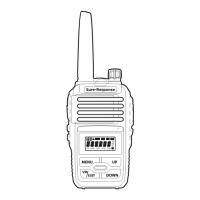
Push [PTT] and speak to microphone to
transmit. Release [PTT] when finished.
Radio cannot receive while [PTT] is held.
Programmable Side Keys
y
[Side Key 1] and [Side Key 2] are pre-
programmed by radio dealer to specific
functions at customer request.
Each key has a short-press function and a
long-hold-press function.
Function Keypad
y
[MENU]: Short press [MENU] to access
radio settings. While navigating settings,
[MENU] serves as forward/enter to select
options.
y
[UP] / [DOWN]: Channel up/down. In
radio menu, navigates between settings.
y
[V/M | EXIT]: Press this key to exit menu
and setting levels.
Power Switch/Volume Control
y
Turn knob clockwise to power on radio.
Turn knob counter-clockwise until knob
clicks and stops to power off radio.
y
While radio is powered on, turn knob
clockwise to increase speaker volume, and
counter-clockwise to decrease volume.
LED Indicator
y
Red light flashing when transmitting
y
Light light flashing when receiving
Headset Connector Port
• Used for optional headset connector
• Used by radio dealer to program
radio
• Used for radio-to-radio cloning with
optional cloning cable.


 To Next Page