11 12
⚠ NOTE
Incorrect squelch setting can degrade radio
reception. Too low of a setting can subject radio
to interference, too high a setting can limit signal
reception. We recommend a setting of 3-5 for
most usages cases.
▶
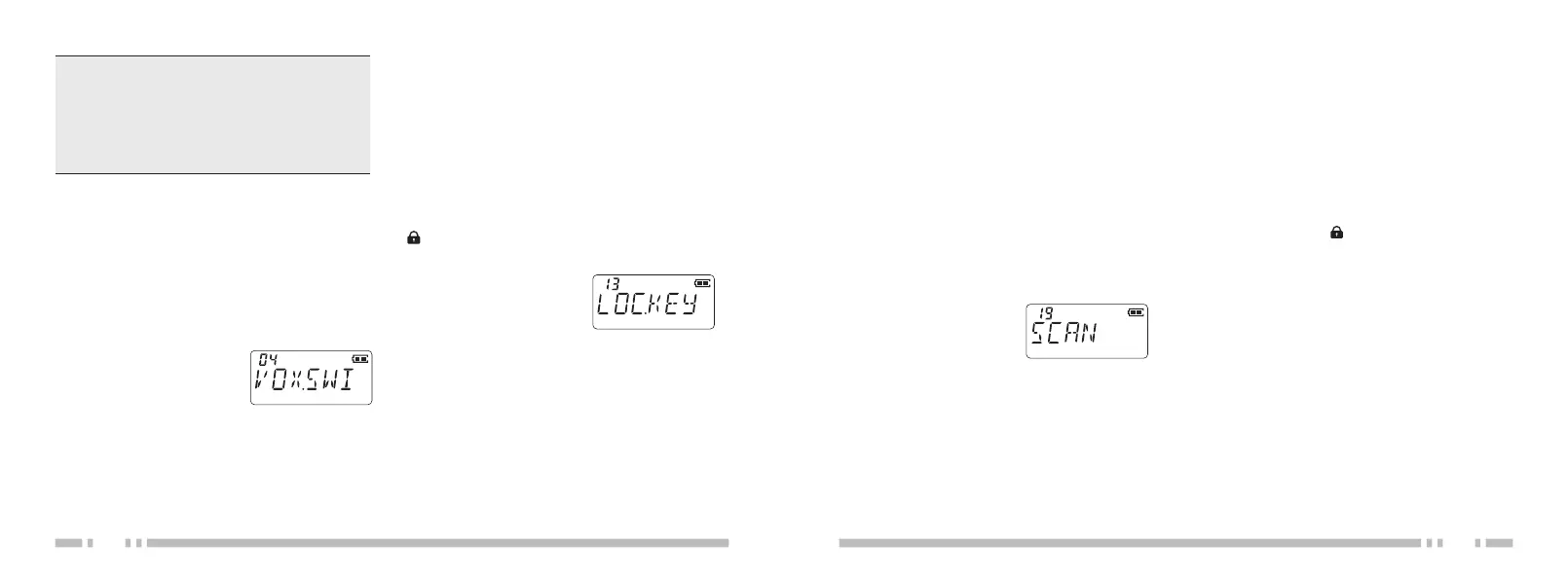
VOX FUNCTION SETTING
(VOX.SWI)
This setting controls voice-activated
transmission functionality when paired with a
compatible headset. With VOX mode
enabled, the [PTT] button is not required
1. Press [MENU]
2. Press
[UP] or [DOWN]
choose VOX.SWI menu
option as displayed
3. Then press [MENU] again to select
menu option, then press [UP] or
[DOWN] again to choose VOX
sensitivity
level. "OFF" is disabled VOX, 10 is lowest
sensitivity, 1 is highest sensitivity.
4. Finally press [MENU] again to confirm,
press [V/M | EXIT] to exit menu
▶
KEYPAD LOCK (LOC.KEY)
The front keypad of the radio can be locked
to prevent accidental input. When locked, a
" " symbol appears on the display.
[U
P] or
[DOWN], choose
LOC.KEY
menu option as displayed
3. Then
press [MENU] again to select
menu option, then press [UP] or
[DOWN] to choose desired method of
keypad locking.
There are three different methods:
MANU: Manual locking only.
AT 5/10/20/30: This mode sets a lockout
timer that only takes place once.
ATS 5/10/20/30: This mode sets a
persistant lockout timer that is saved for
c
ontinued use until disabled.
4. Finally press [MENU] again to
confirm, press [V/M | EXIT] to exit menu
▶
SCAN START (SCAN)
This setting enables or disables multi-
1. Press [MENU]
2. Press [UP] or [DOWN]
Choose SCAN menu
option as displayed
3. Then
press [MENU] again to enable scan
mode
4. Finally press [MENU] again to confirm,
press [V/M | EXIT] to exit menu
▶ MANUALLY LOCK/UNLOCK
KEYPAD
seconds. The keypad will lock and LCD
display will show “ ”
2. To unlock the keypad, press and hold
[V/M | EXIT] for 1.5 seconds. The keypad
will unlock.
▶
FLASHLIGHT
Configuration steps:
Configuration steps
:
1. Press [MENU]
2. Press
channel scan mode.
Configuration steps
:
The front keypad of the radio can quickly
be locked or unlocked without the menu.
Configuration steps:
1. Press and hold [V/M | EXIT] for 1.5
This radio includes a
n LED flashlight for
emergency usage. By default, short-pressing
[Side Key 1] toggles this light on and off. Your
specific programming needs may have this
function removed or assigned
to a different button. Contact your radio dealer
for additional information on this feature.


 To Next Page