2.PVID VLAN
The switch will use the last 4 bits of the VID when VLAN Tag is in the PVID
mode.If the packet has Tag,it will accord to PVID table to forward the packet.
Note: The Switch can only set one kind of VLAN mode. If you want to
change VLAN mode,you have to press <V> . Then set and save on
VLAN list.The VLAN mode of this switch have changed.However,if
you just press VLAN mode,then go back to main menu.The VLAN mode
of this switch havent changed.
The setting of PVID VLAN table is like PortBase VLAN.
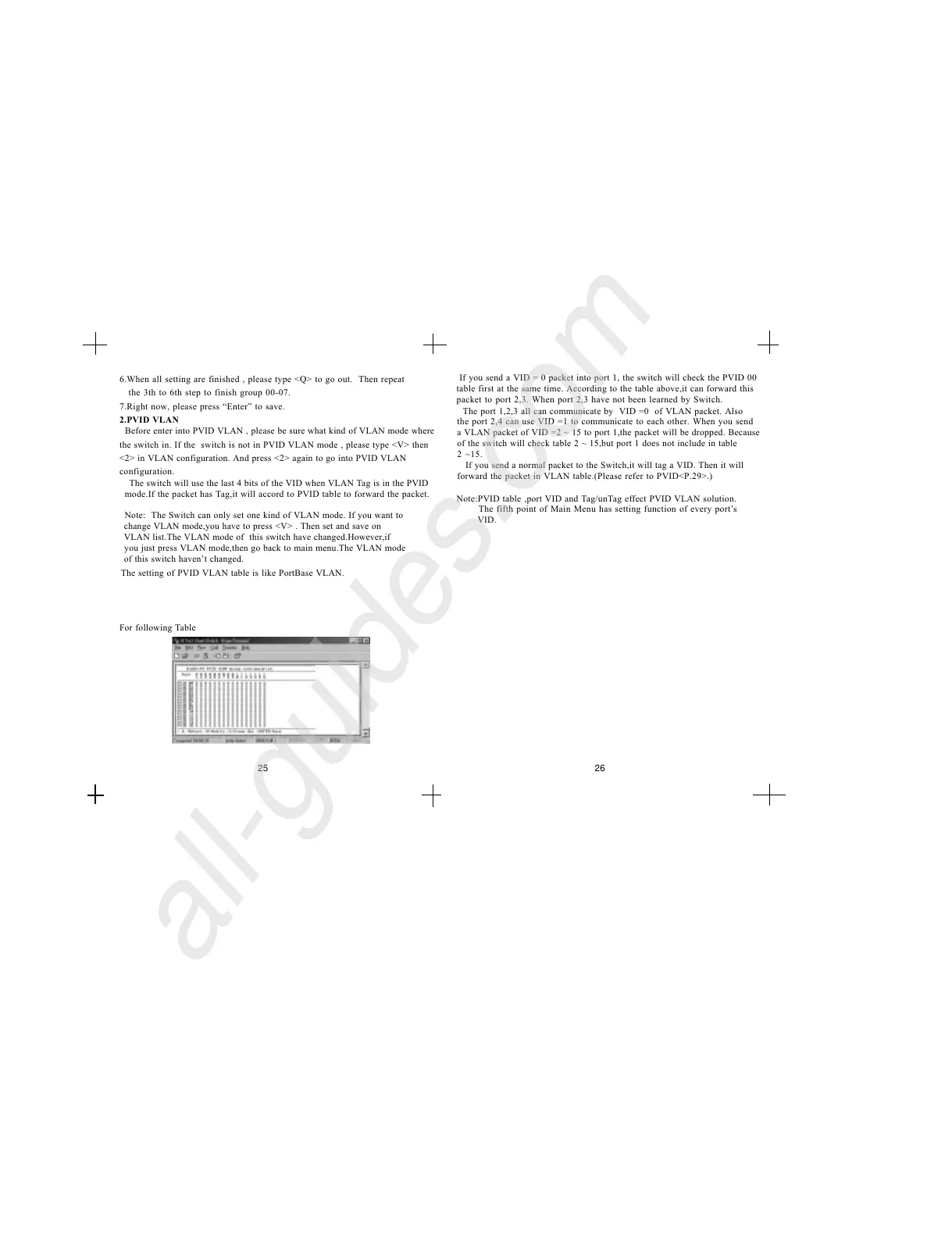
For following Table
The port 1,2,3 all can communicate by VID =0 of VLAN packet. Also
the port 2,4 can use VID =1 to communicate to each other. When you send
a VLAN packet of VID =2 ~ 15 to port 1,the packet will be dropped. Because
of the switch will check table 2 ~ 15,but port 1 does not include in table
2 ~15.
If you send a normal packet to the Switch,it will tag a VID. Then it will
forward the packet in VLAN table.(Please refer to PVID<P.29>.)
Before enter into PVID VLAN , please be sure what kind of VLAN mode where
the switch in. If the switch is not in PVID VLAN mode , please type <V> then
<2> in VLAN configuration. And press <2> again to go into PVID VLAN
configuration.
25 26
6.When all setting are finished , please type <Q> to go out. Then repeat
the 3th to 6th step to finish group 00-07.
7.Right now, please press Enter to save.
If you send a VID = 0 packet into port 1, the switch will check the PVID 00
table first at the same time. According to the table above,it can forward this
packet to port 2,3. When port 2,3 have not been learned by Switch.
Note:PVID table ,port VID and Tag/unTag effect PVID VLAN solution.
The fifth point of Main Menu has setting function of every ports
VID.


 To Next Page