(2)VLAN priority:
The setting is just like TOS.
Note: If the switch is on PortBase VLAN mode. VLAN Priority doesnt
have any using.
8.PVID
How to set the VLAN ID for each port?
If you want to set the 1th ports VID to be 1.
Type <5>on main menu--<M>--enter <01>--type <Enter>--
<01>(VLAN ID)--type <Enter>--<Q>-- type <Enter> (for saving)
Note:Switch can change VID under PVID VLAN mode only.
30
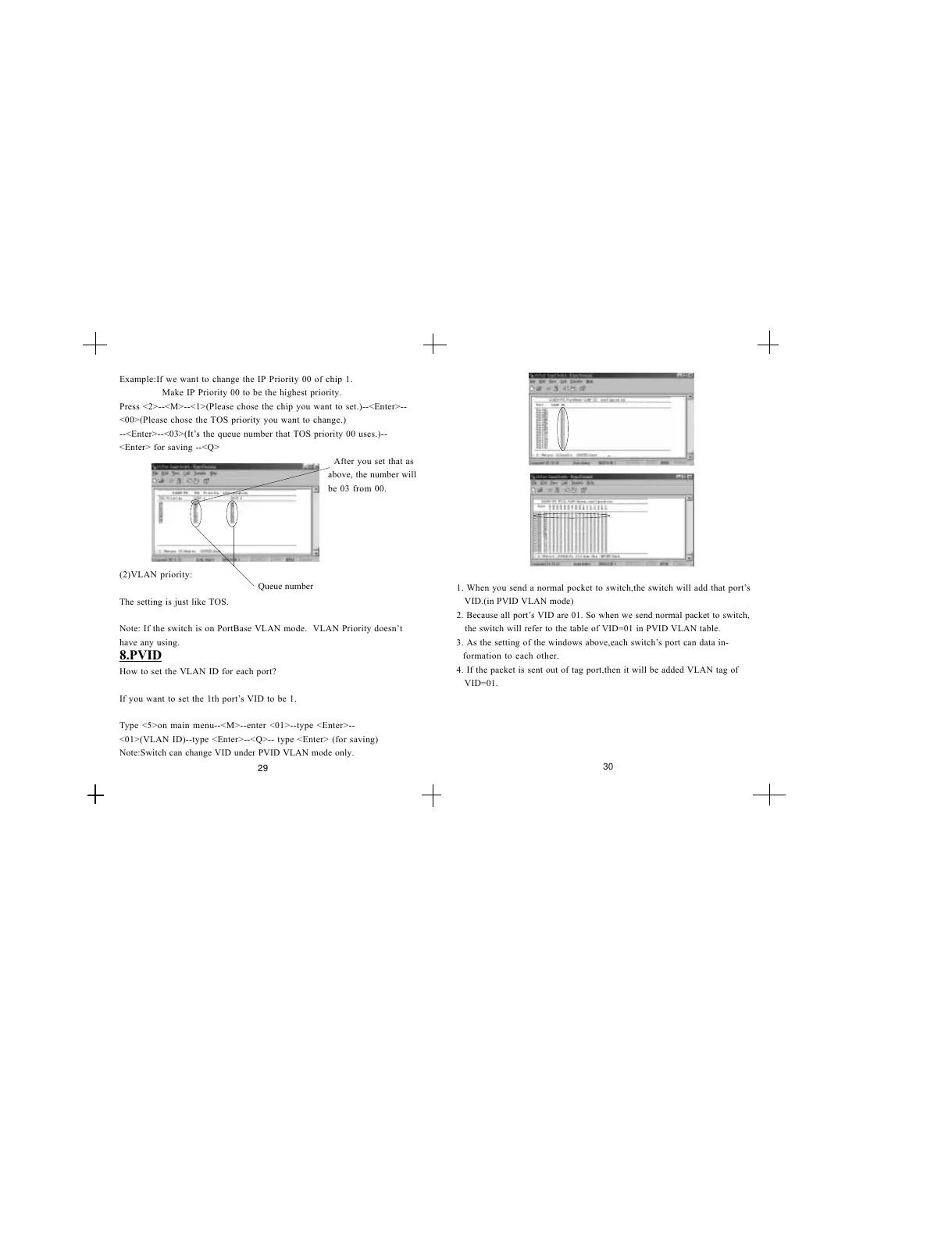
Example:If we want to change the IP Priority 00 of chip 1.
Make IP Priority 00 to be the highest priority.
Press <2>--<M>--<1>(Please chose the chip you want to set.)--<Enter>--
<00>(Please chose the TOS priority you want to change.)
--<Enter>--<03>(Its the queue number that TOS priority 00 uses.)--
<Enter> for saving --<Q>
Queue number
29
After you set that as
above, the number will
be 03 from 00.
1. When you send a normal pocket to switch,the switch will add that ports
VID.(in PVID VLAN mode)
2. Because all ports VID are 01. So when we send normal packet to switch,
the switch will refer to the table of VID=01 in PVID VLAN table.
3. As the setting of the windows above,each switchs port can data in-
formation to each other.
4. If the packet is sent out of tag port,then it will be added VLAN tag of
VID=01.


 To Next Page