1-1
List of Figures
ii
1
Figure 2-1 Front Panel
Figure 2-2 LED Indicators
Figure 2-3 Rear Panel
Figure 3-1 PC or Workstation Connection
Figure 3-2 10BASE-T or 100BASE-TX Hub Connection
Figure 3-3 Connecting to a Hub without Uplink Port
Figure 3-4 Switch to Switch Connection
Figure 4-1 PC to the Switch Connection
Figure 4-2 Terminal Program
Figure 4-3 Hypertrm.exe Icon
Figure 4-4 New Connection Screen
Figure 4-5 Selecting a Com Port
Figure 4-6 COM2 Properties Setting
Figure 4-7 Select Properties Item
Figure 4-8 Emulation Setup
Figure 5-1 Main Menu
Figure 5-2 Trunk Setting Screen
Figure 5-3 VLAN Setting Screen
Figure 5-4 Port Status Screen
Figure 5-5 Port Setting Screen
Figure 5-6 Factory Default Screen
Fiber Slide-in Port
The Switch has a fiber slide-in port. With fiber the workgroup distance could be
extended to 2,000 meters and solve the distance limit.
Full/Half-Duplex and Easy Expansion
The Switch supports both full/half-duplex on all ports which are able to provide
200Mbps of bandwidth to the connected devices using auto-negotiation. The
Switch is also expandable by cascading two or more switches together or
connecting any RJ-45 (MDI-X) port on the Switch to any device such as a
workstation or a server.
Store-and-Forward Scheme
The Switch uses store-and forward switching to ensure all error packets will be
filtered and maintain maximum data integrity, even under heavy loading.
1. Introduction
2-1
2-2
2-3
3-1
3-2
3-3
3-4
4-1
4-2
4-2
4-3
4-3
4-4
4-4
4-5
5-1
5-3
5-3
5-4
5-5
5-6
○○○○○○○○○○○○○○○○○○○○○○○○○○○○○○○○○○○○○○○○○○○○
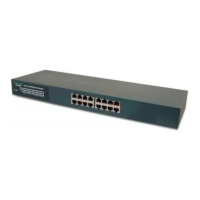
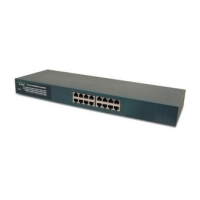
The 24-Port 100/10M N-Way 19 Rack-Mount Smart Switch is the lastest design in
its N-Way Switches series for easy installation and high-performance in an environ-
ment where traffic on the network and the number of users increase continuously. What
makes the 24-Port 100/10M N-Way 19 Rack-Mount Smart Switch stand out from
the crowd is its built-in VLAN and Trunk configuration. With VLAN, stations on
different network segments can be grouped into the same LAN segment. The goal
of VLANs is to allow for complete mobility of workstation placement, yet keeping
broadcast traffic to a minimum. When port of a VLAN, the port will only communi-
cate with other ports in the VLAN. This offers a high degree of security within
the network. With Trunk, the backbone bandwidth can be increased to advance the
network performance by easing and smoothing traffic load at peak hours. Small
businesses and corporate branch offices can take full advantage of 100Mbps Fast
Ethernet performance and preserve existing desktop investment with no changes
required to PCs, NICs, cabling, drivers, or PC configurations.



 To Next Page