8
8
9
11
1
2
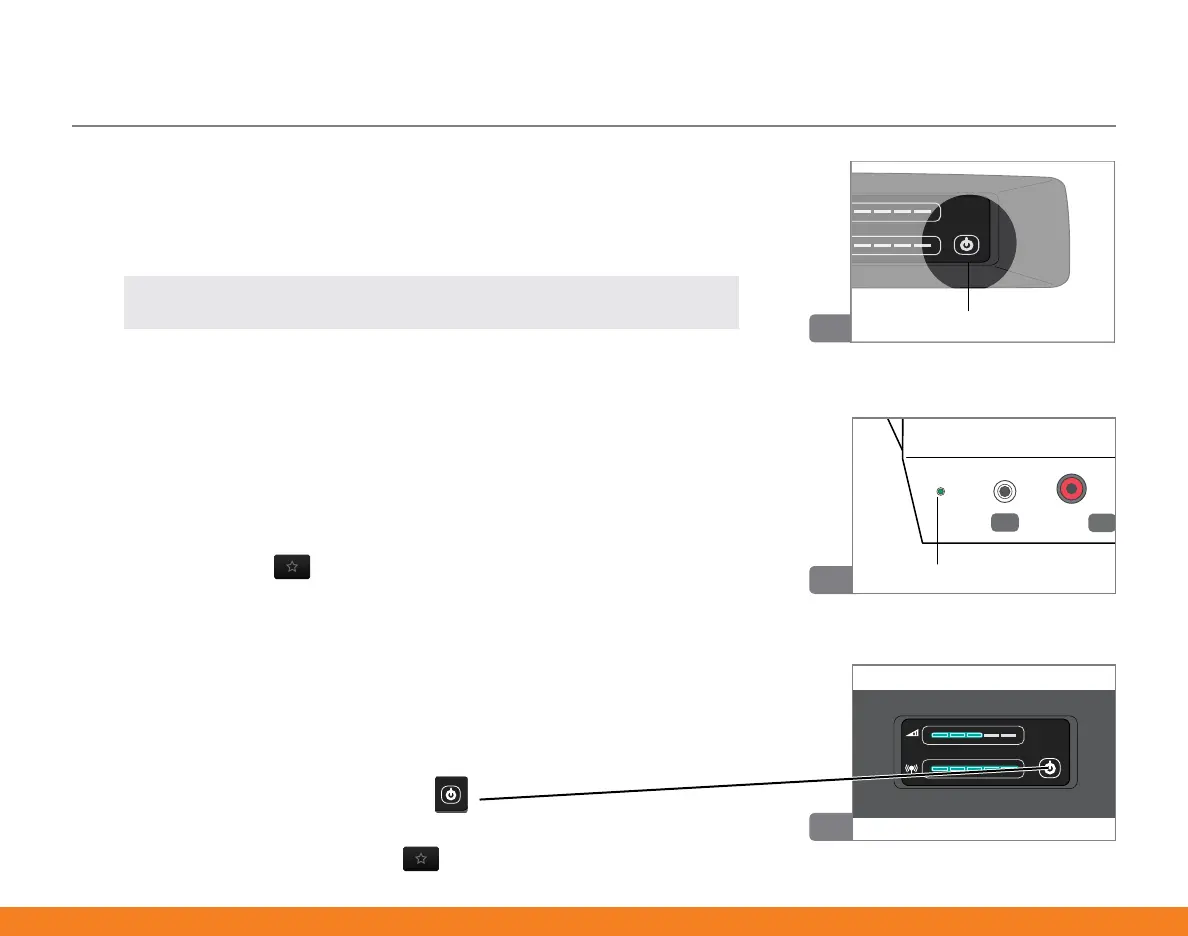
8� Turn on SurfLink Media 2 by pressing the front power button
until it glows blue�
9� If the rear LED glows solid green, then SurfLink Media 2 is
detecting an incoming audio signal�
Tip: If the LED does not illuminate, recheck your setup or review Troubleshooting
section on page 16.
10� Power on your hearing aids� Go to a memory environment that
supports audio streaming�
If your hearing professional set up your hearing aid(s) to:
• Automatically stream audio, you should now hear audio in
your hearing aids�
• Manually stream audio, then you will need to use the Favorite
button ( ) on your remote control to start the audio stream�
11� Slide your finger on the upper blue LED bar to set Volume Control to
a comfortable level (60% or higher)�
• Slide your finger on the lower blue LED bar to set Streaming
Activation Control to far right (100%)�
12� To stop streaming,
• Turn off SurfLink Media 2 ( )�
OR
• Press Favorite button ( ) on your remote control�
Power
LED


 To Next Page