
EasyManua.ls Logo

SurgeX SU1000Li - User Manual

SurgeX SU1000Li
9 pages
Print Icon
To Next Page IconTo Next Page
Loading...
USER MANUAL
SurgeX
SU1000Li
Line Interactive 1000VA UPS with Automatic
Voltage Regulation
Surge Eliminator / Power Conditioner

Questions and Answers

  • D
    davidsonmatthewJul 31, 2025
    Why is my SurgeX UPS operating in battery mode?
    • L
      Leslie NewtonAug 1, 2025
      If your SurgeX UPS operates in battery mode even when AC power is available, it might be due to a tripped input AC circuit breaker. Try resetting the circuit breaker by pressing the plunger back in. If the AC circuit breaker trips after the UPS starts up, consider reducing the load on the UPS.
  • B
    Bethany SmithAug 8, 2025
    What to do if SurgeX SU1000Li UPS does not provide expected runtime?
    • A
      Anthony CarlsonAug 8, 2025
      If your SurgeX UPS does not provide the expected runtime, the batteries might be weak or nearing the end of their service life. To address this, charge the batteries for 8 hours and then retest. If the runtime remains less than expected, the batteries may require replacement, even if the Weak/Bad Battery LED is not lit.
  • C
    Cheryl BakerAug 14, 2025
    What to do if Fault LED is illuminated on SurgeX SU1000Li UPS?
    • B
      benjamin37Aug 15, 2025
      If the Fault LED is illuminated on your SurgeX UPS, it indicates that the UPS has detected an internal fault. In this case, you should call for service.
  • L
    laura36Aug 23, 2025
    How to turn on SurgeX SU1000Li?
    • N
      nicholsmelanieAug 25, 2025
      To turn on your SurgeX UPS, press and release the On/Off button.

Summary

Alarms

Weak;Bad Battery

Bad Battery LED illuminates and beeps occur for weak, bad, or disconnected batteries.

Overload

Bad Battery/Overload/Fault LED illuminates and beeps sound when load exceeds UPS capacity.

UPS Fault

Bad Battery/Overload/Fault LED illuminates and a constant alarm sounds for hardware faults.

Troubleshooting

UPS will not turn on

Check On/Off button and AC circuit breaker.

UPS operates in battery mode only

Reset the AC circuit breaker; reduce load if it trips again.

Fault LED is illuminated

Call for service if the UPS has detected an internal fault.

AC Mode LED illuminated, no output

Disconnect communication cable; if UPS works, software controls it.

UPS does not provide expected runtime

Batteries may be weak or nearing end of service life; charge or replace.

Bad Battery LED is illuminated

Check battery connections, charge, or replace batteries.

Replacing the Battery

Warnings and Cautions

Read all warnings and cautions before servicing batteries; hazardous voltages present.

Battery Replacement Procedure

Step-by-step guide to safely replace UPS batteries.

Specifications

SurgeX SU1000Li Specifications

Surge Protection Specifications IconSurge Protection Specifications
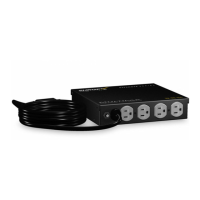
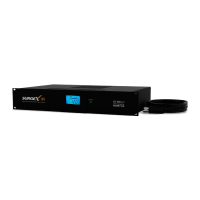
surge energy rating6, 000 volts / 3, 000 amps
let through voltage (6,000 volt surge)0 volts
maximum applied surge voltage6000 volts
General Specifications IconGeneral Specifications
unit dimensions3.5” x 19.0” x 10.5”
unit weight32.0 lbs
rack size2U
Operating Environment IconOperating Environment
operating temperature32°F to 104°F (up to 5, 000 ft above sea level)
operating elevation32°F to 95°F (5, 001-10, 000 ft above sea level)
storage temperature/relative humidity5°F to 113°F (-15°C to +45°C) / 0 - 95% non-condensing

Related product manuals