Need help?
Do you have a question about the Suunto Vyper Air and is the answer not in the manual?
Classifications of warnings, cautions, and notes used in the guide.
How to navigate through the dive computer's menus and modes.
Explains the main functions of the dive computer's buttons.
Configuring time, alarm, date, units, backlight, and tones.
Functionality of water contacts for activation and data transfer.
Guidance on using the integrated digital compass, including calibration.
Explanation of the dive computer's decompression algorithm.
Steps to follow in case of dive computer malfunction.
Understanding constraints, alarms, and error conditions.
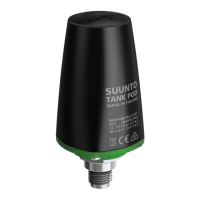
Installing, pairing, and transmitting data from the wireless transmitter.
Configuring depth and dive time alarms.
Setting nitrox values, personal, and altitude adjustments.
Setting data logging rate and configuring safety/deep stops.
Configuring RGBM, units, tank pressure alarm, and HP code.
Entering and activating the dive modes before diving.
Checking battery status and setting altitude/personal adjustments.
Details on performing recommended and mandatory safety stops.
How deep stops are calculated and prompted.
Operating the dive computer for standard air dives.
Operating the dive computer for enriched air dives.
Using the dive computer as a bottom timer.
Post-dive surface interval calculations and dive numbering.
Planning subsequent dives and guidelines for flying after diving.
Planning no-decompression dives considering previous dives.
Practicing dive profiles and features using a simulator.
Accessing detailed dive logs and historical summaries.
Software for managing and analyzing dive data.
Connecting with other divers and sharing experiences.
Contents of the battery kit and tools needed for replacement.
Step-by-step guide to replacing the device battery.
Components of the transmitter kit and required tools.
Step-by-step guide for changing the transmitter battery.
Detailed specifications for the dive computer and transmitter.
In-depth explanation of the Suunto Reduced Gradient Bubble Model.
How altitude affects calculations and oxygen exposure.
Legal information regarding intellectual property.
Explanation of relevant standards and certifications.
 General
| Display Type | LCD |
|---|---|
| Operating Modes | Air, Nitrox, Gauge |
| Battery Type | CR2450 |
| Backlight | Yes |
| Dive Planner | Yes |
| Battery Life | 1-2 years (100 dives/year) |
| Algorithm | Suunto RGBM |
| Audible Alarms | Yes |
| Nitrox | Yes |
| PC Interface | USB |
| Weight | 120 grams |


 To Next Page