2-59
BEFORE DRIVING
84MM6-01E
76MH0A045
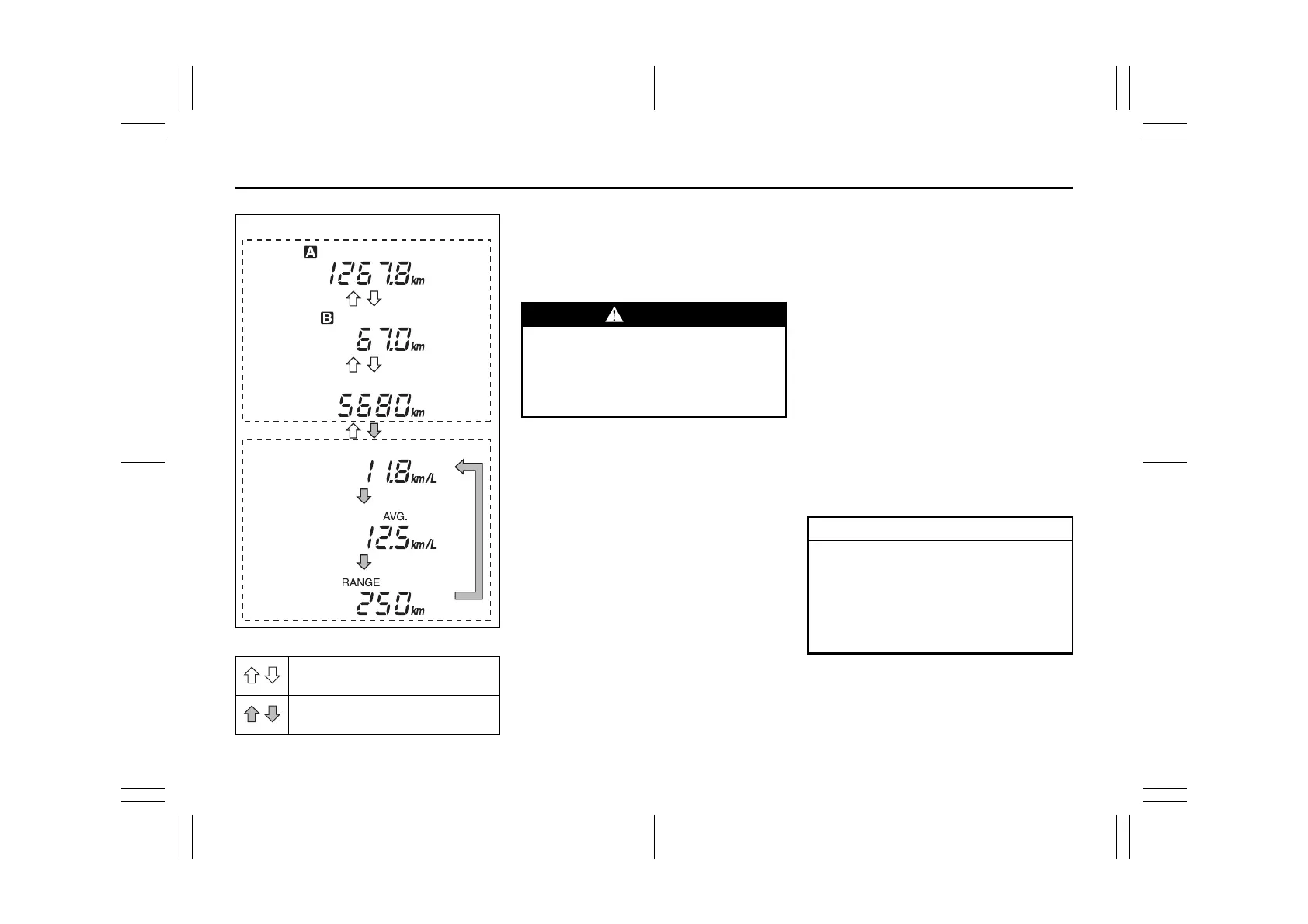
(a) Trip meter A
(b) Trip meter B
(c) Odometer
(d) Instantaneous fuel consumption
(e) Average fuel consumption
(f) Driving range
NOTE:
• Indications will change when you push
and release a knob.
• The display shows estimated values.
Indications may not be the same as
actual values.
Trip meter
The trip meter can be used to measure the
distance traveled on short trips or between
fuel stops.
You can use the trip meter A or trip meter B
independently.
To reset the trip meter to zero, push and
hold the trip meter selector knob (1) for a
while when the display shows the trip
meter.
NOTE:
The indicated maximum value of the trip
meter is 9999.9. When you run past the
maximum value, the indicated value will
return to 0.0.
Odometer
The odometer records the total distance
the vehicle has been driven.
Push the trip meter selector
knob (1).
Push the indicator selector
knob (2).
WARNING
If you attempt to adjust the display
while driving, you could lose control
of the vehicle.
Do not attempt to adjust the display
while driving.
NOTICE
Keep track of your odometer reading
and check the maintenance sched-
ule regularly for required services.
Increased wear or damage to certain
parts can result from failure to per-
form required services at the proper
mileage intervals.





 To Next Page