7
EASY SET UP AND QUICK PLAY
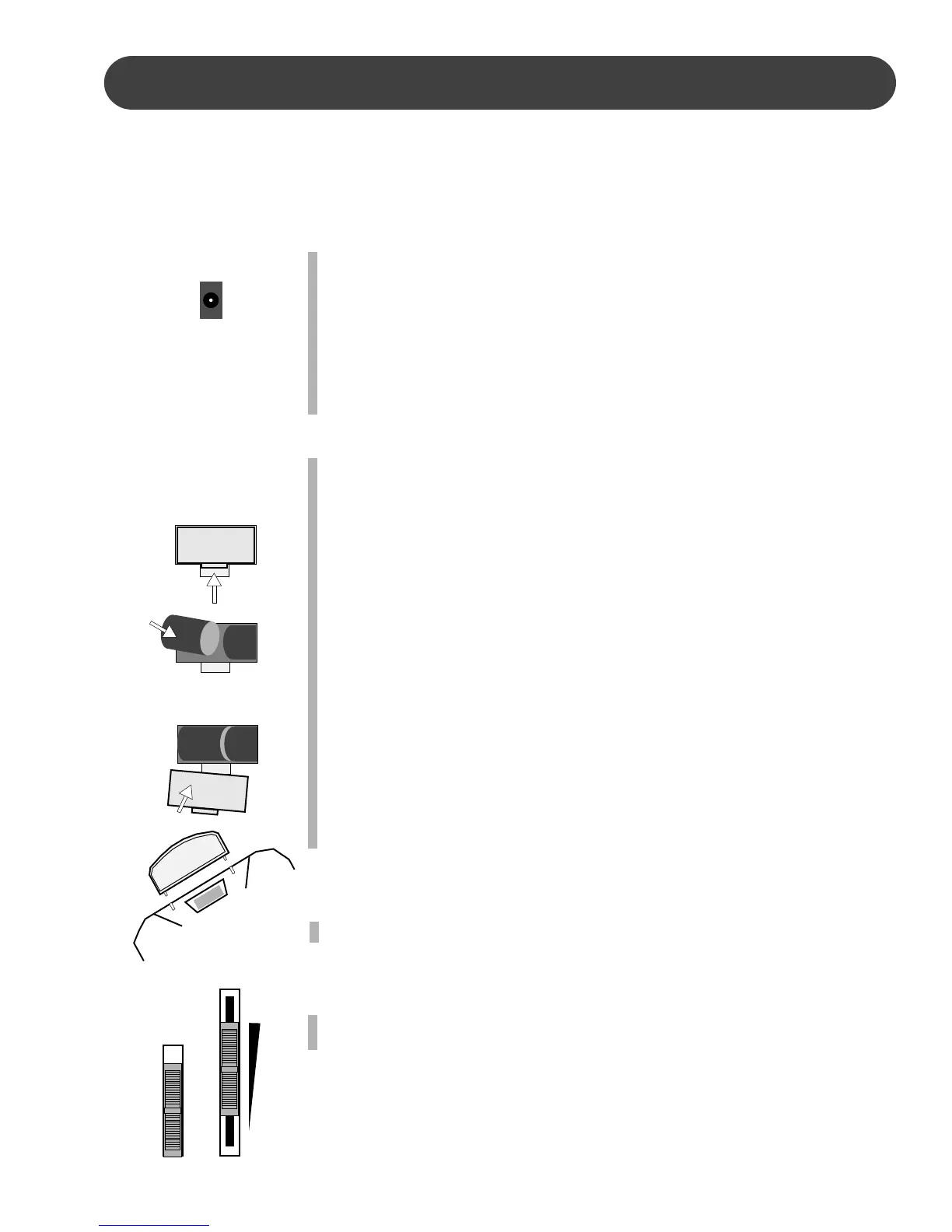
USING THE AC POWER ADAPTOR - Plug the output cable of the sup-
plied power adaptor into the DC 12V IN jack on the back of the unit.
Then plug the input of the power adaptor into a convenient AC
power outlet. The internal batteries will be automatically discon-
nected when the AC power adapter is used.
Please note, make sure that you only use the recommended power
adapter, if you are unsure of which adapter to use, please check
with your Suzuki dealer.
USING BATTERIES - For battery operation this piano requires eight 1.5V
(R14), “C” cell batteries. When the batteries need to be replaced
the volume may be reduced, the sound may distort, or other prob-
lems may occur. If this happens, turn the power off and replace the
batteries.
Please note, when batteries are used, the sound of the piano may
distort at high volume levels. This is because the power of the
amplifier is reduced as the batteries drop in voltage.
TO REPLACE THE BATTERIES
1. Open the battery compartment cover located on the instruments
bottom panel.
2. Insert eight new batteries, be careful of the polarity.
Please note, when the batteries run down, replace them with a
complete set of eight new batteries. Never mix old and new
batteries and do not use different kinds of batteries at the same
time.
3. Replace the compartment cover, making sure that it locks firmly
in place.
THE MUSIC STAND - Insert the bottom edge of the music stand into the
slots located at the rear of the control panel.
TURN THE PIANO ON AND ADJUST THE VOLUME - Slide the POWER
switch to the on position, and adjust the MASTER VOLUME.
BEGIN TO PLAY!
POWER SUPPLY - This piano can be powered by an AC power adapter or by batteries.
Please note, to prevent possible damage due to battery leakage, remove the batteries from
the instrument if it is not to be used for an extended period of time. Battery leakage is not
covered under the Suzuki warranty.
OPEN W
OPEN W
OPEN W
1.
2.
3.
DC 12V
ON
OFF
POWER
MASTER
VOLUME
MAX
MIN


 To Next Page