8
PANEL CONTROLS
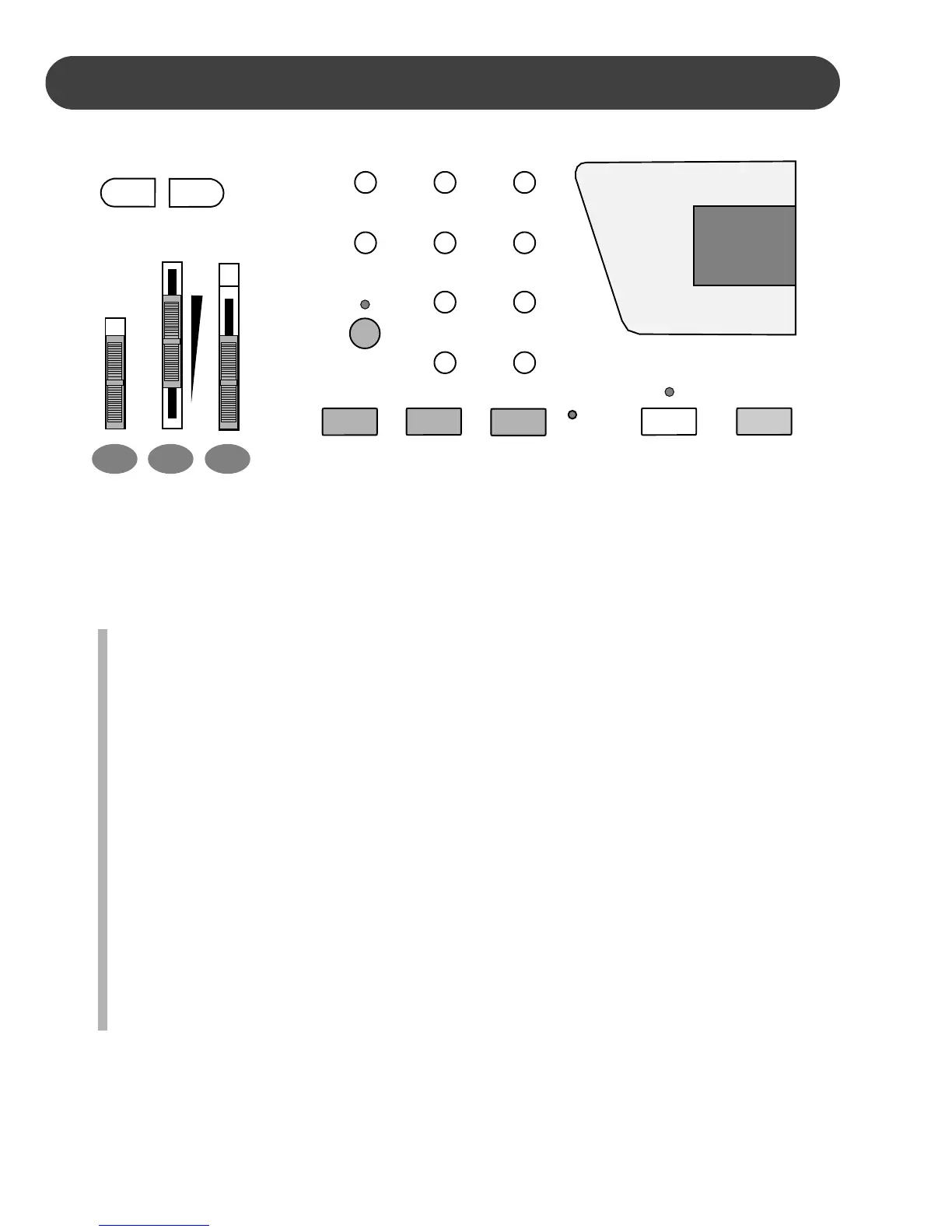
The control panel is simple and elegant. The following is a brief description of all the fea-
tures located on the control panel.
1. POWER SWITCH - Slide the power switch up to the ON setting, to turn the piano on.
Slide the power switch down to the OFF setting to turn the piano off.
2. MASTER VOLUME - Use this sliding control button to adjust the overall volume of
the keyboard. Slide the button up to increase the volume and down to decrease the
volume.
3. ACCOMP (ACCOMPANIMENT) CHORD - Most of the rhythm styles have an addi-
tional auto accompaniment, often called the auto bass chord. These accompani-
ments are dedicated to the selected rhythm style, and will create fully orchestrated
rhythm, bass and chord accompaniments, based on the chord that you play with
your left hand.
The ACCOMP sliding control button selects the auto accompaniment mode. With
this function engaged, the keys to the left side of the split point are the auto accom-
paniment section of the keyboard, while the keys to the right are available for normal
playing. The auto accompaniment fingering modes are single, fingered, or off. Slide
the ACCOMP button until it is adjacent to the fingering mode you want. Please see
the Auto Accompaniment section of this manual for more information.
1 2 3
ON
OFF
POWER
MASTER
VOLUME
MAX
MIN
FINGERED
SINGLE
OFF
ACOMP
CHORD
– ACCOMP VOL +
A/B
POP 1
EURO POP
DANCE
E. DANCE
TECH. POP
TRANCE
LOUNGE
R&B 1
SOUL
16 BEAT
ROCK
8 BEAT
REGGAE
POP 2
RHUMBA
JAZZ
BOOGIE
R&B 2
COUNTRY
POLKA
ONE TOUCH
PERCUSS
METRO
START/STOP
SYNCH
START


 To Next Page