9
PANEL CONTROLS
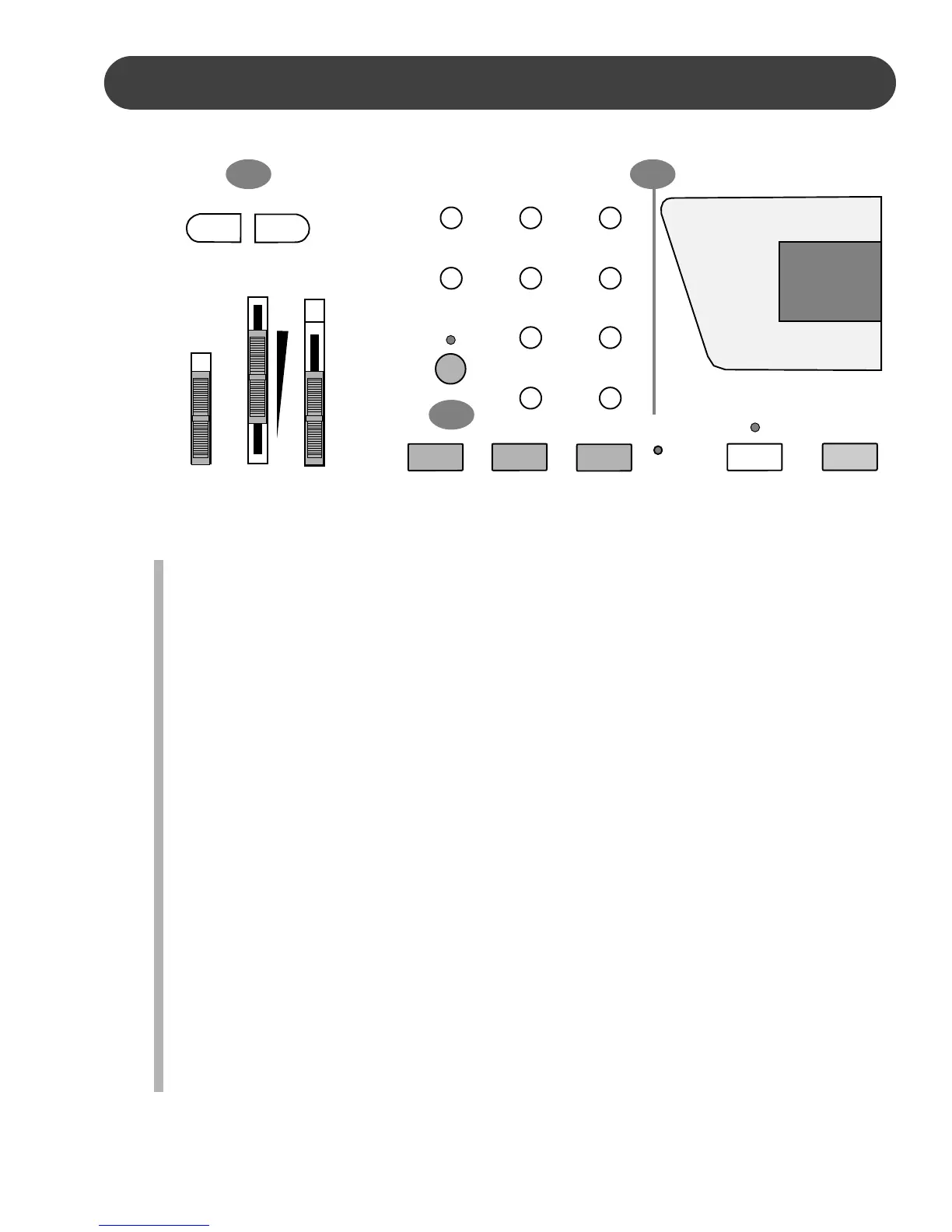
4. ACCOMP (ACCOMPANIMENT) VOLUME - Use these buttons to adjust the volume
of the auto accompaniment only, the keyboard voice will not be affected. If the
metronome is engaged, use these buttons to adjust the metronome sound.
Press one of the ACCOMP VOLUME buttons, the current accompaniment volume
will appear on the display. You can use the ACCOMP VOLUME +, ACCOMP VOL-
UME – buttons, or the –/+ buttons from the numeric pad, to change the accompani-
ment volume value range from 00, no volume to 24, maximum volume. Press the
ACCOMP VOLUME +, ACCOMP VOLUME – buttons or the –/+ buttons simulta-
neously to recall the default accompaniment volume setting of 21. After three sec-
onds the display will recover to the selected voice number.
5. STYLE A / B BUTTON - The ten quick select style buttons are each assigned to a kit
A and a kit B. The style listed above the button belong to kit A, and the style listed
below the button belong to kit B. Press the A/B button to alternate between the two
kits. The indicator light will be lit when kit B is active.
6. QUICK SELECT STYLE BUTTONS - There are twenty rhythm styles that can be
selected quickly by pressing one of the Ten Quick Select Style Buttons. These styles
are assigned to kit A and kit B. Each kit consists of ten styles. The style name in the
kit A is printed above the style select button and the style name in kit B is beneath
the button. Press the A/B button to select the style kit, then press the quick select
style button that corresponds to the style you want in the kit you have selected. The
style number will be shown on the display for three seconds. Please see the Rhythm
section of this manual for more information.
4
ON
OFF
POWER
MASTER
VOLUME
MAX
MIN
FINGERED
SINGLE
OFF
ACOMP
CHORD
– ACCOMP VOL +
A/B
POP 1
EURO POP
DANCE
E. DANCE
TECH. POP
TRANCE
LOUNGE
R&B 1
SOUL
16 BEAT
ROCK
8 BEAT
REGGAE
POP 2
RHUMBA
JAZZ
BOOGIE
R&B 2
COUNTRY
POLKA
ONE TOUCH
PERCUSS
METRO
START/STOP
SYNCH
START
6
5


 To Next Page