12
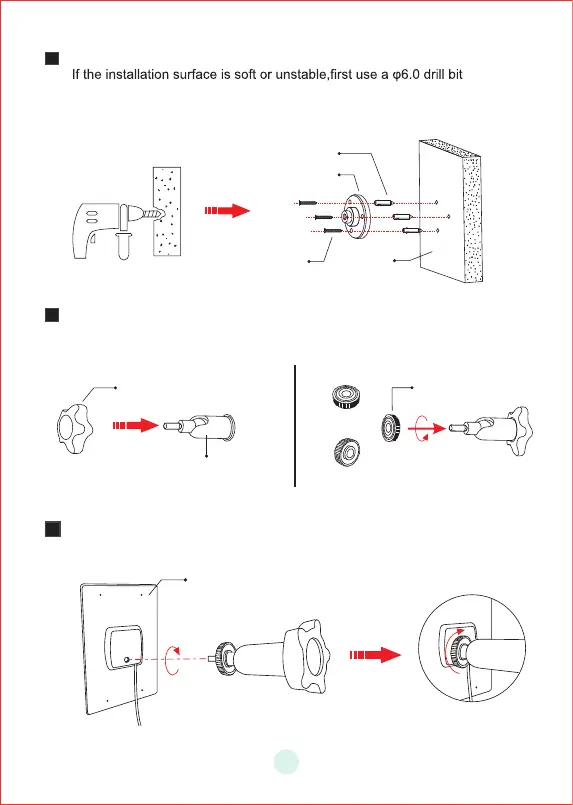
B a se
S c re w s
W a ll A n c hors
W a l l
1
Locking Screw Cap
Socket nut
Solar Panel
F ro n t
B a c k
2
3
Fix the base to your mounting location using the included screws.
to drill a hole in the wall,then insert the anchor nail into the hole ,
and fix the base with screws.
First,install the locking screw cap into the universal joint and then screw
the circular socket nut into the universal joint.
Screw the universal joint into the back of the solar panel.Tighten it firmly
with the attached nut.


 To Next Page