13
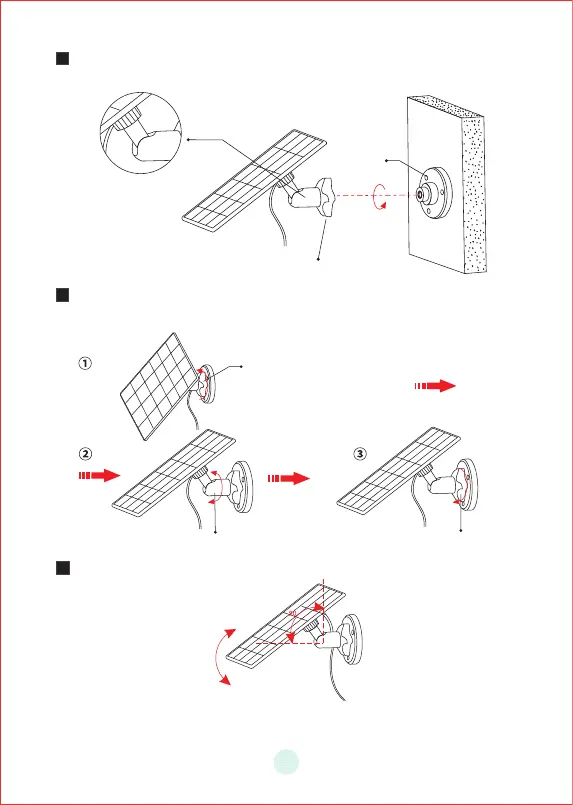
B a s e
4
5
°
S leeve R o d
6
Screw the locking screw cap into the base.Make sure that the universal
joint is angled upward.
When adjusting the solar panel left or right,loosen the locking screw cap,
turn the sleeve rod,and tighten the locking screw cap when the panelis
in position.
Solar pane's angle can be adjusted up and down up to 90°
Tip:After the installation is complete,please check that all locking mechanisms
are tightly secured.
Locking Screw Cap
Locking Screw Cap


 To Next Page