EasyManua.ls Logo

SVAT GX301 - User Manual

SVAT GX301
34 pages
Print Icon
To Next Page IconTo Next Page
Loading...
Model #: GX301
V. 1.0
INSTRUCTION MANUAL V1.1
INSTRUCTION MANUAL
Model#:
GX301
www.SVAT.com
WIRELESS SYSTEM
SVAT ELECTRONICS
now you can see
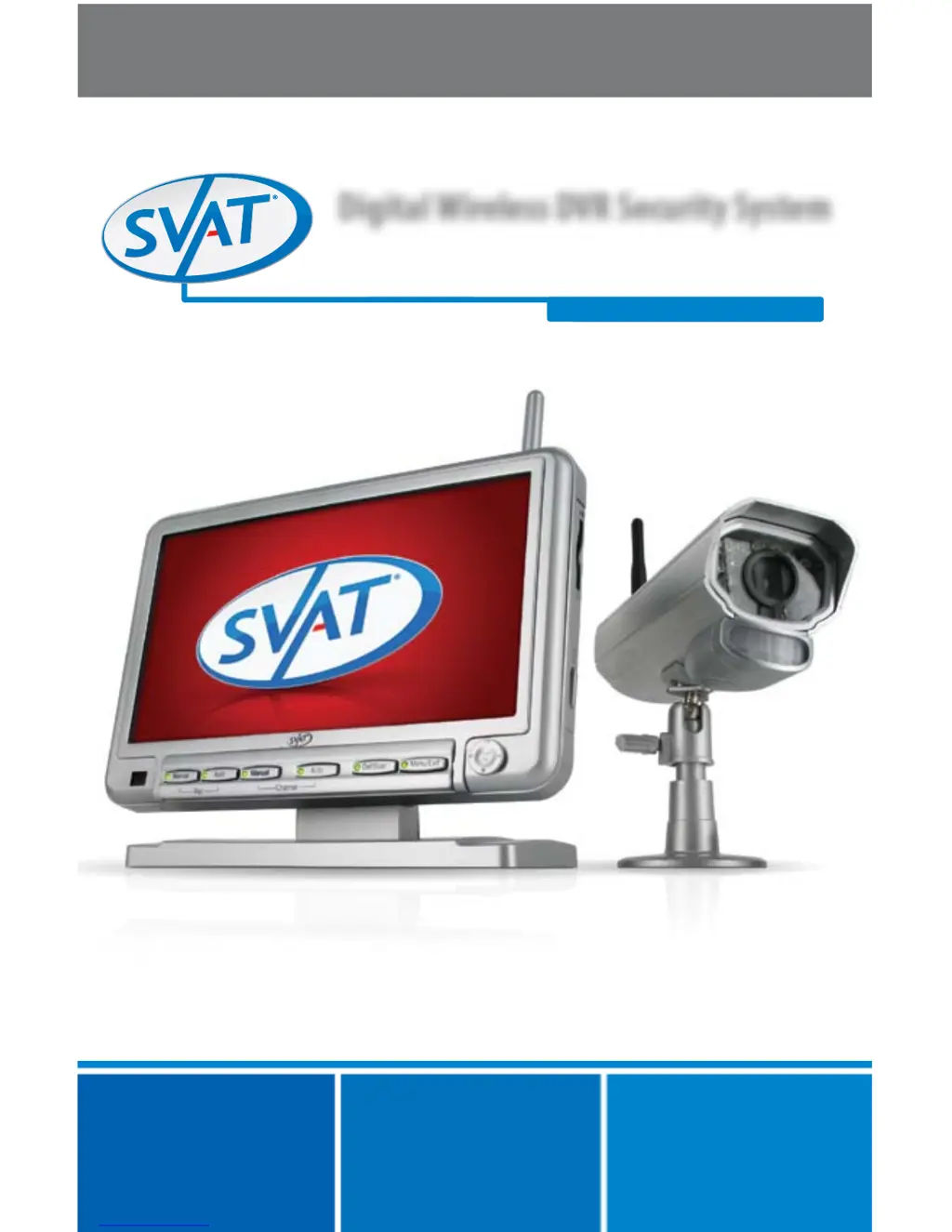
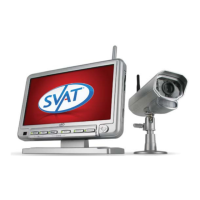
Digital Wireless DVR Security System
7" Monitor with SD Card Recording and Long Range
Night Vision Cameras

Questions and Answers

  • L
    Lauren LamSep 9, 2025
    What to do if my SVAT Security System footage is not recording?
    • P
      Peter CastroSep 9, 2025
      If your SVAT Security System isn't recording footage, first, adjust your recording settings. Next, ensure the SD card is completely inserted into the receiver and that it is not full. If the SD card is full, make sure the overwrite function is turned on. Finally, check that the SD card is not locked by adjusting the tab on the side of the card.
  • C
    Cole WatsonAug 23, 2025
    What to do if my SVAT Security System has no audio?
    • D
      David MooreAug 23, 2025
      If there is no audio on your SVAT Security System, make sure nothing is interfering with the microphone on the camera and that the sound source is within 6 feet of the microphone. Disconnect and reconnect the wires from the camera and the monitor to ensure they are secure. Try re-pairing the camera and monitor. Adjust the volume on the monitor and ensure the camera volume is turned up using the remote. Also, ensure the AV cord is connected to the proper connections on the monitor and the device connected to the monitor.
  • W
    Wayne WilliamsAug 25, 2025
    What to do if SVAT GX301 Security System devices are not pairing?
    • L
      Lisa RodriguezAug 25, 2025
      If your SVAT Security System devices are not pairing, ensure the camera and monitor are within 100ft of each other. Try moving the devices closer, as walls or obstructions can interfere with the signal. Also, ensure both devices are connected to a proper power source.
  • B
    brandon80Aug 26, 2025
    What to do if SVAT GX301 footage is not recording?
    • C
      Carla BishopAug 26, 2025
      If your SVAT Security System is not recording footage, adjust the recording settings. Make sure the SD card is completely inserted into the monitor, is not full, and that the overwrite function is turned on. Also, ensure the SD card is not locked by adjusting the tab on the side of the card.
  • H
    heidihawkinsAug 27, 2025
    Why is my SVAT GX301 monitor reading “No Signal”?
    • A
      Adam LambertAug 28, 2025
      If your SVAT Security System monitor is reading “No Signal”, try re-pairing the camera and monitor. Make sure there is nothing obstructing the camera's view and that the camera and monitor are within 100 ft of each other.
  • D
    Daniel AguilarAug 29, 2025
    Why is night vision not working on my SVAT GX301 Security System?
    • J
      Jennifer PerryAug 29, 2025
      If night vision is not working on your SVAT Security System, try the camera in a completely dark setting. The area the camera is in may have too much light, preventing the sensor from activating.
  • T
    Tracy PerrySep 18, 2025
    Why is my SVAT GX301 picture too bright or dark?
    • E
      Eugene MartinezSep 18, 2025
      If your SVAT Security System picture is too bright or dark, it might be because the camera is in an area with too much light, which can activate the sensor. Try adjusting the brightness settings on your receiver.
  • J
    Jenny BassSep 18, 2025
    Why are the buttons not working on my SVAT GX301?
    • D
      Danielle SpencerSep 19, 2025
      If the buttons on your SVAT Security System are not working, ensure you are viewing full screen, as the buttons do not work in quad screen mode. Also, make sure the button lock function on the front of the receiver is not switched on.
  • M
    Mrs. Michelle Gordon DDSSep 7, 2025
    Why is there no picture or signal on my SVAT GX301 Security System?
    • J
      James MeyersSep 7, 2025
      If your SVAT Security System shows no picture or signal, verify that all connections are secure and properly connected. Ensure your receiver is plugged into a power source from the 9VDC input on the back. Also, make sure there is nothing obstructing the camera's view. As a last resort, try re-pairing the camera and receiver.
  • A
    Alicia DuncanSep 4, 2025
    How to fix scrolling horizontal lines on SVAT GX301?
    • M
      Michael Smith DDSSep 4, 2025
      To resolve scrolling horizontal lines on your SVAT Security System, ensure that the device is set to NTSC.

Summary

Product Warranty Information

Warranty Terms and Conditions

Details the terms and conditions of the product warranty, including coverage and limitations.

Introduction to the System

Buttons and Connections Overview

Monitor Controls and Ports

Identifies and describes the buttons and connection ports on the monitor unit.

Remote Control Functions

Details the functions and limitations of the included remote control for the system.

Camera Components and Ports

Explains the buttons and connection ports located on the security camera unit.

Joystick Operation Guide

System Pairing Procedure

Getting Started with Your System

SD Card Insertion Instructions

Instructions for properly inserting the SD card into the monitor for recording.

Live View Display Explained

Explains how to view the live feed from the camera and interpret on-screen icons.

Camera Viewing Modes

Recording Modes Explained

Main Menu: Camera On;Off

Playback: Monitor View

Playback: Computer View

Playback Controls and Deletion

Troubleshooting Common Issues

Specifications: Camera Unit

Specifications: Monitor Unit

Replacement Parts Information

Additional Accessories Guide

Drilling Template Instructions

SVAT GX301 Specifications

General IconGeneral
TypeDVR Security System
Number of Channels4
Power Supply12V DC
Night VisionYes
Storage1TB HDD
ConnectivityEthernet
Remote AccessYes
Video Input4 BNC connectors
Video OutputVGA
Audio InputRCA
Audio Output1 x RCA
Hard Drive1TB
Camera TypeBullet
WeatherproofYes (IP66 rated)
WeightVaries by component

Related product manuals