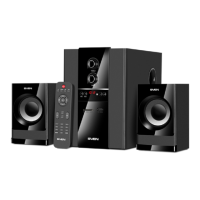
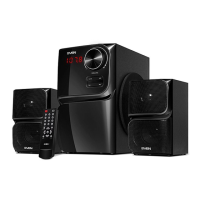
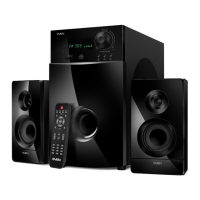
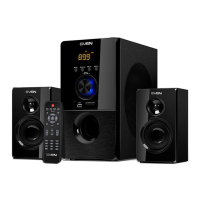
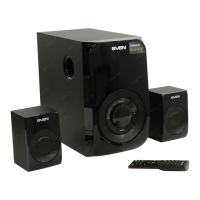
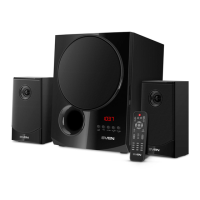
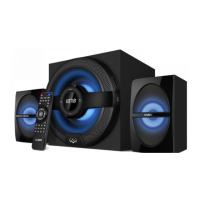
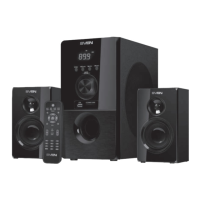
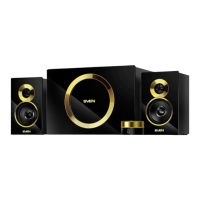
The SVEN MS-1085 / MS-1085 GOLD / MS-1086 is a 2.1 multimedia speaker system designed for playing music and providing sound for games, movies, and other multimedia content. This system is compatible with various audio sources, including PCs, DVD/Media players, and mobile devices. Its integrated amplifier, acoustic cables, and signal cables allow for easy connection to a wide range of audio equipment.
Function Description
The SVEN MS-1085 / MS-1085 GOLD / MS-1086 system consists of a subwoofer and two satellites, providing a 2.1 channel audio experience. The subwoofer handles low-frequency sounds, while the two-way satellites deliver mid and high frequencies. The system features a built-in transformer power supply, ensuring stable operation.
The rear panel of the subwoofer includes several key connections and controls:
- MIC (①): A mini-jack input for connecting a microphone, allowing for voice input.
- BASS (②): A rotary knob to adjust the subwoofer's volume level, enabling users to fine-tune the bass output according to their preference.
- INPUT (③): An audio input jack for connecting external audio sources such as a computer sound card, MP3 player, or other devices.
- OUTPUT (④): RCA outputs for connecting the satellite speakers to the subwoofer's amplifier.
- POWER (⑤): A power switch to turn the entire speaker system on or off.
- Volume control knob (⑥): The main volume control for the entire system.
- Headphone jack (⑦): A 3.5mm mini-jack output for connecting headphones, typically located on the wired remote control.
- Microphone jack (⑧): A 3.5mm mini-jack input for connecting a headset microphone, also typically found on the wired remote control.
- Power cord (⑨): The integrated power cable for connecting the system to a mains outlet.
The system also includes a wired remote control, which provides convenient access to essential functions, including the main volume control and dedicated jacks for connecting a headset (headphones and microphone).
Usage Features
Speaker Placement:
For optimal sound reproduction, the satellite speakers should be placed symmetrically relative to the listener, at a distance of at least one meter. The subwoofer emits non-directional sound, allowing it to be positioned anywhere in the room where it sounds best. To avoid potential image distortion on highly sensitive monitors and TV sets, it is recommended to place the speaker system as far away as possible from these devices.
Connection to Audio Sources:
The MS-1085 / MS-1085 GOLD / MS-1086 can be connected to various audio sources. Before making any connections, ensure that all components of the system are switched off.
- Satellite Connection: Connect the satellite speakers to the subwoofer using the provided cables. The RCA jacks from the satellites connect to the corresponding OUTPUT (④) terminals on the subwoofer.
- Audio Source Connection (PC/MP3 Player): Use the supplied 2RCA to mini-jack signal cable. Plug the mini-jack end into the "Line out" port of your computer's sound card or the audio output of your MP3 player. Then, connect the RCA jacks to the INPUT (③) terminals on the subwoofer. Ensure that the white RCA jack connects to the white terminal and the red RCA jack to the red terminal.
- Microphone Connection: If using a microphone, connect the mini-jack of the microphone cable to the "Mic" jack of your computer's sound card. Then, connect the other mini-jack of the microphone cable to the MIC (①) input on the subwoofer's rear panel.
- Headset Connection: Connect your headset (headphones and microphone) to the dedicated jacks (⑦ and ⑧) on the wired remote control.
- DVD/CD Player Connection: For connecting to DVD/CD players, a 2RCA to 2RCA signal cable (not included) is required. Connect one end to the audio output of the DVD/CD player and the other end to the INPUT (③) terminals on the subwoofer.
- Power Connection: Once all audio connections are made, plug the power cord (⑨) into a mains outlet.
Operation:
- Before turning on the system, set the main volume control knob (⑥) on the wired remote control to its minimum position by turning it counter-clockwise until it stops.
- Switch on the speaker system using the POWER (⑤) switch located on the subwoofer's rear panel.
- Adjust the desired listening volume using the volume control knob on the wired remote control.
- The subwoofer's volume control knob (BASS, ②) is recommended to be kept in the mid-position for balanced sound, but can be adjusted to suit personal preferences.
Important Notes:
- If the system will not be used for an extended period, remember to switch off the POWER (⑤) switch on the subwoofer's rear panel and unplug the power cord from the mains outlet.
- For improved sound quality when connecting to a PC, it is recommended to use the "Line-Out" port of your sound card.
Maintenance Features
Safety Precautions:
- To prevent electric shock, do not open the speaker system or attempt to repair it yourself. All servicing and repairs should be carried out by qualified specialists at an authorized service center. A list of authorized service centers can be found on www.sven.fi.
- Avoid short-circuiting the wires (including grounded ones) between the speakers, on the power amplifier, or to the ground, as this can damage the power amplifier's output stage.
- Do not touch the power cord plug pins for at least 2 seconds after unplugging it from the mains.
- Prevent foreign objects from entering the holes of the speaker system.
- Protect the system from high humidity, water, and dust.
- Keep the system away from heat sources; do not place it closer than 1 meter from any heat source. Avoid direct sunlight exposure.
- Do not place any open flame sources on or near the system.
- Ensure adequate ventilation. Do not place the system in poorly ventilated areas. Maintain a minimum air gap of 10 cm or more around the unit. When operating, do not place any devices on top of it, or cover it with cloth or other objects that could obstruct cooling.
- For cleaning, use only a soft, dry cloth. Do not use any chemical cleaning agents.
Troubleshooting:
If you encounter any issues with the speaker system, refer to the following troubleshooting guide:
- System does not turn on:
- Check if the system is properly connected to the mains outlet.
- Ensure the power switch (⑤) on the subwoofer's rear panel is in the "ON" position.
- No sound:
- Verify that the volume level is not set to minimum. Adjust the volume control knob on the wired remote control.
- Check if the audio source is connected correctly to the INPUT (③) terminals.
- Too quiet sound from speakers:
- Ensure the volume level is not set to minimum. Adjust the volume control knob.
- Sound distortion:
- If the input signal amplitude is too high, reduce the volume on both the audio source and the speaker system (using the main volume control and the BASS knob).
If these troubleshooting steps do not resolve the problem, contact your nearest service center for professional advice. Do not attempt to repair the product yourself.
General Recommendations:
- Upon unpacking, carefully check the device for any damage and ensure all accessories are present. If damage occurred during transport or if the device is not functioning correctly, contact the delivery company or the dealer immediately.
- Verify the completeness of the package and the warranty card. Ensure the warranty card has a shop stamp, a legible signature or seller's stamp, purchase date, and that the product number matches the one on the card.
- If the speaker system has been exposed to negative temperatures, do not switch it on immediately. Allow it to acclimatize to room temperature for at least 4 hours before use.
- Read the operation manual carefully before installation and use, and keep it for future reference.


 To Next Page
 General