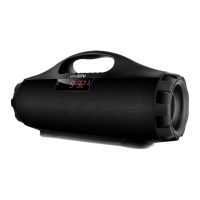
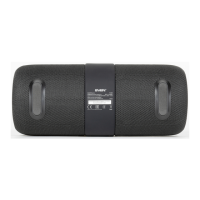
ENG
User Manual
PS-215
SPECIAL FEATURES
•Wireless signal transmission via Bluetooth
•Waterproof (IPx6)
•Wireless connection of two speakers to one source (TWS)
•USB-ash and microSD card playback support
•FM radio*
•Passive speaker for deep and powerful bass
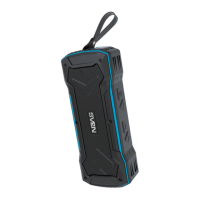
•Carrying strap
•AUX input for connecting to an audio source
* An external antenna required (included)
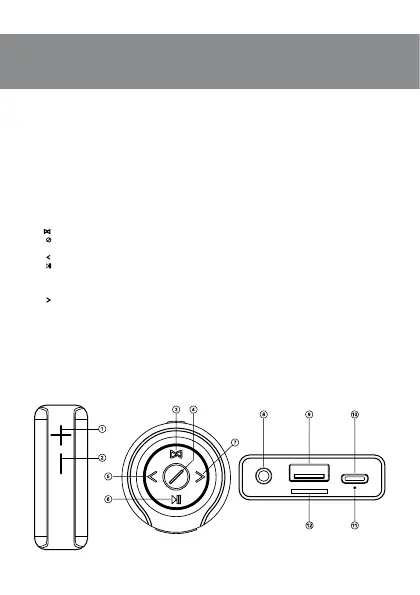
Speaker system description
a +: Volume increase
b -: Volume decrease
c
: Connecting an additional speaker (long pressing in Bluetooth mode)
d : POWER button (long pressing);
Switch mode button: Bluetooth/FM/Player (short pressing)
e : Next track (in Player and Bluetooth mode); Next station (in Radio mode)
f : Play/Pause (short pressing in Player and Bluetooth mode);
Mute (short pressing in Radio and AUX modes);
Disconnecting from the sound source (long pressing in Bluetooth mode);
Automatic scan of radio stations (long pressing in Radio mode)
g : Next track (in Player and Bluetooth mode); Next station (in Radio mode)
h 3.5 mm mini-jack for audio signal connecting (phone, MP3 player, etc.)
i USB ash connector
j USB Type C jack for connecting speakers to the charger, the USB port of laptop/PC
k Indicator
l Micro SD card slot
CONNECTION AND OPERATION
Attention! The built-in battery must be charged completely prior to the application.
Speaker system battery charging
•Connect speaker system to a USB port of PC or USB charger using micro USB to USB
cable (included). When charging, the indicator k lights up in red. Indicator k goes out if
the battery is charged.
Fig. 1.
3


 To Next Page