ENG
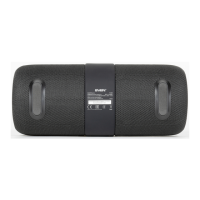
Portable Speaker System
with Bluetooth and FM-radio
•The battery is used in the speaker system as an integral part of the device, therefore do
not try to extract or replace it, because this can result in the warranty cancellation or the
device damage.
OPERATION MODES
Bluetooth mode
•Wireless data transfer via the Bluetooth protocol enables to connect speaker system to
compatible devises. Maximum radius of action of data transfer is 10 m. Such obstacles as
walls or other electronic devices can interfere with the signal transfer.
•Turn on the speakers in Bluetooth mode – press the button d repeatedly until the button
d blinks white short.
•It is necessary to select the search mode of devices with Bluetooth on a signal source
(telephone, notebook, smartphone, etc.). «SVEN PS-215», massage will be displayed on
the screen which is to be connected to*.
•When connection is successful, there will be a short beep and the indication of the search
mode on speaker system is over**.
Radio mode
To improve radio reception, connect USB-USB Type C cable (included) to the input j.
•Turn on the speaker system – press button d several times until, the radio mode will turn
on. Long-term pressing button f activates auto search mode. After scanning completion, the
rst scanned radio station will start to operate automatically. With buttons e and g select a
desired radio station.
МР3playermode
Attention! The le system of a micro SD or USB ash carrier is FAT32. Maximum
volume is 32 GB. It is not recommended to use the micro SD Ultra Speed.
•Insert the USB ash or micro SD carrier into appropriate slot. If the speaker system is
in turned on position, the playback will start automatically. Playback/Pause modes are
switched over with the help of the button f. Tracks can be controlled by buttons e
(previous track) and g (next track).
Connecting an additional speaker
It is possible to connect an additional speaker to the model «SVEN PS-215» (Bluetooth
mode only):
Attention! Before connecting an additional speaker, disconnect rst speaker from
signal source.
•Turn on both speakers (long press button d) and select Bluetooth mode. On both speakers,
button dwill ash white ashes.
•On both speakers, press at the same time and hold the button c until a beep sounds, then
release it. The speakers will connect with each other.
•On one speaker, button d will glow continuously, on the other speaker, button d will ash
white ashes.
•Then connect the speaker with the ashing button d to the signal source (see speaker
connection via Bluetooth).
* You might have to enter “0000” code to connect some models of devices via Bluetooth.
** If the item has been already registered in the device list of a source, then the second search
mode activation is not obligatory. Choose the item name «SVEN PS-215» and the “connect”
command on the source.
4


 To Next Page