ENG
4
Portable Speaker System
with Bluetooth
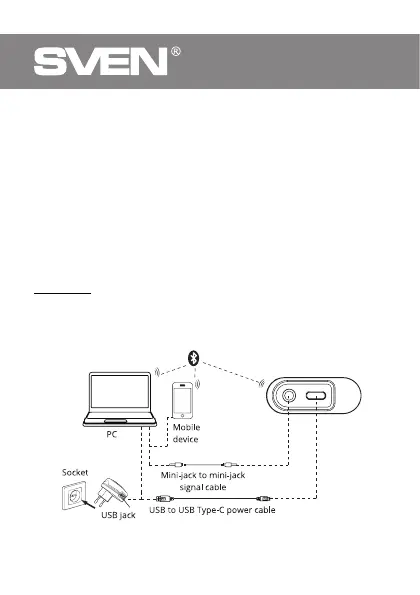
•It is necessary to select the search mode of devices with Bluetooth on a signal source
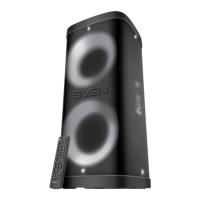
(telephone, notebook, smartphone, etc.). «SVEN PS-300» message will be displayed on
the screen which is to be connected to*.
•When connection is successful, there will be a short beep**.
Connecting to the speaker via Bluetooth using NFC
Attention! To connect the speaker to a smartphone, the smartphone must be equipped
with an NFC chip. It must be enabled in the wireless settings.
•Turn on the speakers in Bluetooth mode – indicator blinks blue short.
•Hold the phone close to the NFC mark e and wait to confirm a successful speaker
connection.
Note. You need to allow connections on the phone (depending on the phone’s operating
system).
Connecting an additional speaker
For model «SVEN PS-300» you can connect an additional speaker (Bluetooth mode only):
•Connect one speaker to a signal source via Bluetooth.
•Briefly press button
d
on the connected speaker, to activate the search mode, the
second speaker must be in the search for BT.
•The speakers will connect with each other.
Note. At the subsequent inclusion of both speakers, they will be connected automatically.
* You might have to enter «0000» code to connect some models of devices via Bluetooth.
** If the item has been already registered in the device list of a source, then the second
search mode activation is not obligatory. Choose the item name «SVEN PS-300» and the
«connect» command on the source.
Fig. 2. Connection diagram



 To Next Page