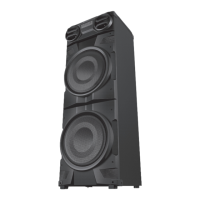
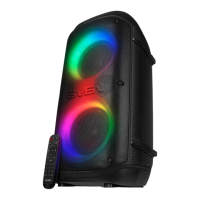
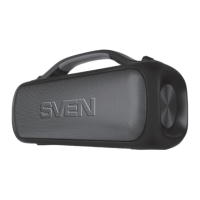
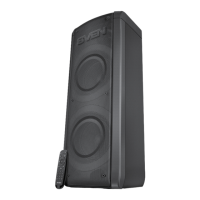
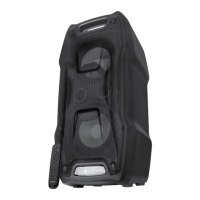
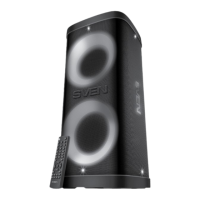
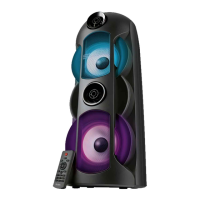
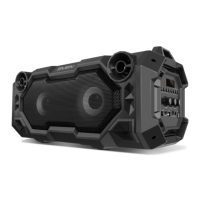
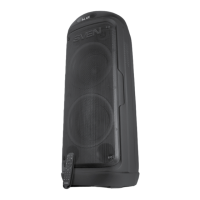
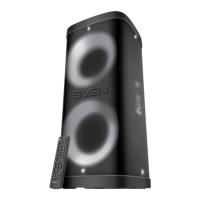
The SVEN PS-150 and PS-155 are portable speaker systems designed for versatile audio playback, featuring Bluetooth connectivity, an FM radio, and a built-in player for USB-flash cards. These systems are suitable for use with PCs, notebooks, smartphones, and other mobile devices, facilitating data transfer via Bluetooth. They can also be utilized for internet telephony, video conferencing, multimedia applications, interactive games, speech recognition, and foreign language teaching.
Function Description
The speaker system offers multiple modes of operation:
- Bluetooth Mode: Enables wireless audio streaming from compatible devices within a 10-meter range. Obstacles like walls or other electronic devices may interfere with the signal.
- FM Radio Mode: Allows listening to FM radio stations. An external antenna (included) is required for optimal reception. The system supports automatic scanning and manual selection of radio stations.
- Player Mode: Plays audio files directly from a USB-flash drive (FAT32 file system, maximum 32 GB). Playback starts automatically upon insertion of the USB drive.
- TWS (True Wireless Stereo) Mode: Allows two SVEN PS-150 or PS-155 speakers to connect wirelessly to a single source, providing a stereo sound experience. This feature is available only in Bluetooth mode.
Important Technical Specifications
| Parameter, measurement unit |
Value |
| Frequency range, Hz |
100–20 000 |
| Output power (RMS), W |
10 (2 × 5) |
| Speaker diameter, mm |
Ø 47 |
| Rated current consumption, A |
0.33 |
| Battery capacity, mA*h |
1800 |
| Power supply |
USB = 5 V |
| Weight, kg |
0.55 |
| Dimensions, mm (PS-150) |
85 × 200 × 90 |
| Dimensions, mm (PS-155) |
75 × 200 × 85 |
The device features a built-in battery, which is an integral part of the system and should not be removed or replaced.
Usage Features
The speaker system is equipped with several control buttons and indicators:
- POWER button (①): Long press to turn the speaker system on/off.
- Mode Switch button (②): Short press to switch between Bluetooth, FM, and Player modes. Long press in Bluetooth mode to activate TWS connection.
- Volume Decrease / Previous Track / Previous Station button (③): Short press to decrease volume. Long press in Bluetooth or Player mode for the previous track. Long press in Radio mode for the previous station.
- Play/Pause / Mute / Disconnect / Auto Scan button (④): Short press for play/pause in Player and Bluetooth modes. Short press for mute in Radio mode. Long press to disconnect from the sound source. Long press in Radio mode for automatic scanning of radio stations.
- Volume Increase / Next Track / Next Station button (⑤): Short press to increase volume. Long press in Bluetooth or Player mode for the next track. Long press in Radio mode for the next station.
- Backlight Mode button (⑥): Changes the dynamic switchable RGB backlight mode (available in all modes except Radio).
- USB connector (⑦): For connecting USB-flash drives.
- DC 5V Type-C jack (⑧): For connecting the speaker to a charger, laptop, or PC's USB port.
- Battery charge indicator (⑨): Glows solid red during charging and turns off when the battery is fully charged.
Connecting via Bluetooth:
- Turn on the speaker in Bluetooth mode.
- On your source device (phone, notebook, etc.), enable Bluetooth search.
- Select "SVEN PS-150" or "SVEN PS-155" from the list of available devices to connect. A short beep will confirm a successful connection. Some devices may require the "0000" code. If the device has been previously paired, re-activation of search mode may not be necessary.
Connecting an additional speaker (TWS mode):
- Turn on both SVEN PS-150/PS-155 speakers (long press ①) and ensure they are in Bluetooth mode.
- Connect one of the speakers to your signal source via Bluetooth.
- On the speaker not connected to the source, long press button ② to activate TWS mode. The speakers will then connect to each other. Subsequent power-ons will automatically reconnect them.
Maintenance Features
- Battery Charging: The built-in battery must be fully charged before initial use. Connect the speaker to a USB port (PC or USB charger) using the provided USB to USB Type-C cable. The charge indicator (⑨) will be solid red during charging and turn off when fully charged.
- Disposal: Dispose of the device in accordance with regulations for household and computer equipment.
- Transportation: Shipping and transportation are permitted only in the original container.
- Warranty: The product comes with a warranty card. Ensure the warranty card has a shop stamp, legible signature/seller's stamp, purchase date, and that the goods number matches the card. Loss or discrepancy of numbers may forfeit warranty repair rights.
- Product Improvement: Technical specifications and package contents are subject to change without notice due to ongoing product improvements by SVEN.

 Need help?

 To Next Page
 General