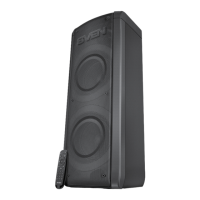
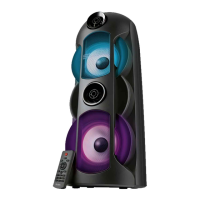
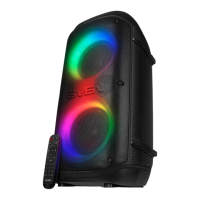
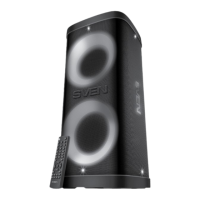
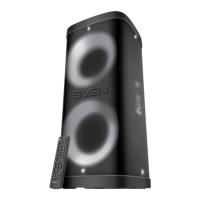
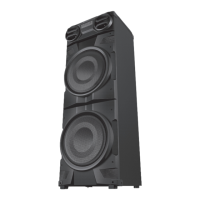
SVEN PS-770 Party Speaker System
The SVEN PS-770 is a versatile party speaker system designed for a wide range of audio applications, including use with PCs, notebooks, smartphones, and other mobile devices via Bluetooth. It also supports internet telephony, video conferencing, multimedia applications, interactive games, speech recognition, and foreign language teaching. Key features include a microphone input with echo function, an integrated FM tuner, and a player for USB-flash and microSD cards.
Package Contents
The SVEN PS-770 package includes:
- Speaker system (1 pc)
- 3.5 mm mini-jack to 3.5 mm mini-jack signal cable (1 pc)
- Power adapter (1 pc)
- Remote control (RC) (1 pc)
- RC batteries (AAA type) (2 pcs)
- User Manual (1 pc)
- Warranty card (1 pc)
Special Features
The PS-770 offers a rich set of features to enhance your audio experience:
- Dynamic Switchable RGB Backlight: Adds a vibrant visual element to your parties.
- Wireless Signal Transmission via Bluetooth: Allows for seamless connection to compatible devices within a 10-meter radius.
- Wireless Connection of Two Speakers (TWS): Enables two PS-770 speakers to connect to a single source for a stereo sound experience.
- Two Microphone Inputs for Karaoke: Perfect for duets and karaoke sessions.
- Adjustable Karaoke Microphone Echo Level: Customize the echo effect for a professional vocal sound.
- USB-Flash and MicroSD Card Playback Support: Play your favorite music directly from storage devices.
- LED Display: Provides clear information about the current mode and settings.
- Remote Control: Offers convenient operation from a distance.
- Equalizer Function: Adjust audio frequencies to suit your preferences.
- FM Radio:* Tune into your favorite radio stations (requires an external antenna, included).
- AUX Input: For connecting external audio sources via a 3.5 mm mini-jack cable.
- Fast Bluetooth Connection by NFC:** Quickly pair with Android devices (version 4.1 and later) by simply tapping.
- Carrying Handle: For easy portability.
Technical Specifications
- Frequency Response: 40 – 22,000 Hz
- Output Power (RMS): 100 W (2 × 50 W)
- Speaker Diameter: Ø 38 mm + Ø 145 mm
- Battery Capacity: 4,400 mAh (2 pcs)
- Power Supply: ~230/50 V, 9V/1.5A
- Weight: 5,200 g
- Dimensions: 250 × 260 × 660 mm
Note: Technical specifications are supplemental information and are subject to change without notice due to product improvement.
Device Description (Main Unit)
The main unit features a comprehensive control panel:
- POWER: Power button for turning the speaker system on/off.
- Indicator: LED indicator for status.
- DC 9V-1.5A: Charger connecting port.
- USB: USB-flash card slot.
- MICRO SD: MicroSD card slot.
- AUX: 3.5 mm mini-jack for audio signal connection (e.g., phone, MP3 player).
- MIC1: 6.3 mm jack microphone input.
- MIC2: 6.3 mm jack microphone input.
- NFC: NFC tag for fast Bluetooth connection.
- MODE VOICE: Button for switching modes (Bluetooth/Radio/Player/LINE IN with short press); ON/OFF service signals with long press.
- ◄: Previous track (short press in Player/Bluetooth mode); Navigation on the track (long press in Player/Bluetooth mode); Previous station (short press in Radio mode); Search for a station with a lower frequency (long press in Radio mode).
- LED ON/OFF: Switch lighting color (short press); Switch backlight mode (long press).
- Display: LED display for showing information.
- ►II: Play/Pause button (short press in Player/Bluetooth mode); Start/Stop auto scan (long press in Radio mode); Mute (short press in Radio/LINE IN mode); Disconnect from device (long press in Bluetooth mode).
- MIC MENU: Microphone volume/Echo level adjustment (short press).
- ►►: Next track (short press in Player/Bluetooth mode); Navigation on the track (long press in Player/Bluetooth mode); Next station (short press in Radio mode); Search for a station with a higher frequency (long press in Radio mode).
- VOLUME +/-: Volume control knob.
- TWS: Button for connecting an additional speaker.
- MIC PRI: Enable microphone priority mode (short press).
- BASS/TREBLE: Bass/treble level adjustment.
- EQ: EQ mode switch button.
- REPEAT: Repeat mode selection button (in Player mode) or RESET: reset settings (long press).
- ST.BY/LED ON/OFF: On/Off backlight (short press) or Standby (long press).
Remote Control Description
The remote control provides convenient access to various functions:
- LED ON/OFF: Switch backlight color (short press); Switch backlight mode (long press).
- POWER: On/Off button.
- EQ: EQ mode switch button.
- +/-: Volume up/down.
- ◄: Previous track (short press in Player/Bluetooth mode); Track navigation (long press in Player/Bluetooth modes); Previous station (in Radio mode).
- TWS: Connecting an additional speaker.
- MODE: Switching modes button (Bluetooth/Radio/Player/LINE IN with short press); ON/OFF service signals (long press).
- 0-9: Numeric pad for entering track number (in Player mode) or station number/frequency (in Radio mode).
- REPEAT: Repeat mode selection button (in Player mode).
- MUTE: Mute (short press); Turning on/off the backlight (long press).
- BASS/TREBLE: Bass/treble level adjustment.
- ►►: Next track (short press in Player/Bluetooth mode); Track navigation (long press in Player/Bluetooth modes); Next station (in Radio mode).
- MIC: Microphone volume/Echo level adjustment (short press); Enable microphone priority mode (long press).
- RESET: Reset settings (long press).
- ►II: Play/Pause button (short press in Player/Bluetooth mode); Start/Stop auto scan (long press in Radio mode); Mute (short press in Radio/LINE IN mode); Disconnect from device (long press in Bluetooth mode).
Connection and Operation
Important: The built-in battery must be fully charged before initial use.
Speaker System Battery Charging:
- Connect the speaker system to a charger using the provided power adapter.
- During charging, the indicator (2) will be red.
- Once fully charged, the indicator (2) will turn light green.
- The battery is an integral part of the speaker system; do not attempt to extract or replace it, as this may void the warranty or damage the device.
Operation Modes:
Bluetooth Mode:
- Wireless data transfer via Bluetooth allows connection to compatible devices within a 10-meter range. Obstacles like walls or other electronic devices can interfere with the signal.
- To activate Bluetooth mode, press the MODE VOICE (10) button several times until "BLUE" appears on the display.
- On your signal source (phone, notebook, smartphone), select the Bluetooth search mode. The device will appear as "SVEN PS-710/730/770/800/850".
- Upon successful connection, a short beep will sound, and the search mode indication on the speaker system will cease.
- Note: Some devices may require the "0000" code for connection. If the device is already registered, re-activation of search mode is not necessary; simply select the device name and "connect".
Connecting via Bluetooth using NFC:
- NFC works only with Android devices (version 4.1 and later) that have an NFC chip enabled in wireless settings.
- Turn on Bluetooth mode on the speaker system by pressing MODE VOICE (10) until "BLUE" is displayed.
- Hold your phone close to the NFC mark (9) on the top panel and wait for a short beep to confirm a successful connection.
- Note: You may need to allow connections on your phone, depending on its operating system.
Radio Mode:
- Attention: To improve radio signal reception, connect the included 3.5 mm mini-jack cable to the AUX input (6).
- Turn on the speaker system and press MODE VOICE (10) several times until the display shows the station frequency.
- Long-pressing button (14) activates auto-scan mode. After scanning, the first found radio station will play automatically.
- Use buttons (11) and (16) to select the desired radio station.
Player Mode:
- Attention: The file system of microSD carriers must be FAT32. The maximum supported volume is 32 GB.
- When a USB-flash or microSD card is inserted into the corresponding slot, the system will automatically enter Player mode and begin playback.
- Use button (14) to switch between Play/Pause modes.
- Use buttons (11) (previous track) and (16) (next track) to control tracks.
Wired Mode (LINE IN):
- The speaker system can be used as an external amplifier for any audio source with a 3.5 mm mini-jack output.
- Connect a 3.5 mm mini-jack cable to the AUX input (6).
- Turn on the speaker system and press MODE VOICE (10) several times until "LINE" appears on the display.
Connecting an Additional Speaker (TWS):
The PS-770 supports connecting an additional speaker for a True Wireless Stereo (TWS) experience.
Reset:
- To reset the settings, press and hold the RESET button (22) on the control panel or the RESET button (14) on the remote control. The settings will be restored to default.
Maintenance Features
- Battery Care: The integrated battery should not be removed or replaced by the user. Attempting to do so may void the warranty and damage the device.
- Transportation: The device should only be transported in its original packaging to prevent damage.
- Disposal: Dispose of the device in accordance with regulations for household and computer equipment.
Buyer Recommendations
- Carefully unpack the device and ensure all accessories are present.
- Check for any damage. If the product was damaged during transportation, contact the delivery firm. If the product malfunctions, contact the dealer immediately.
- The date of manufacture is indicated on the box.

 Need help?

 To Next Page
 General