complete the update automatically. This is normal and can take 3-5 minutes.
If your SVS Prime Wireless speaker is not being discovered by the Wi-Fi network, try moving it closer to your router or to
Wi-Fi network in your home.
123
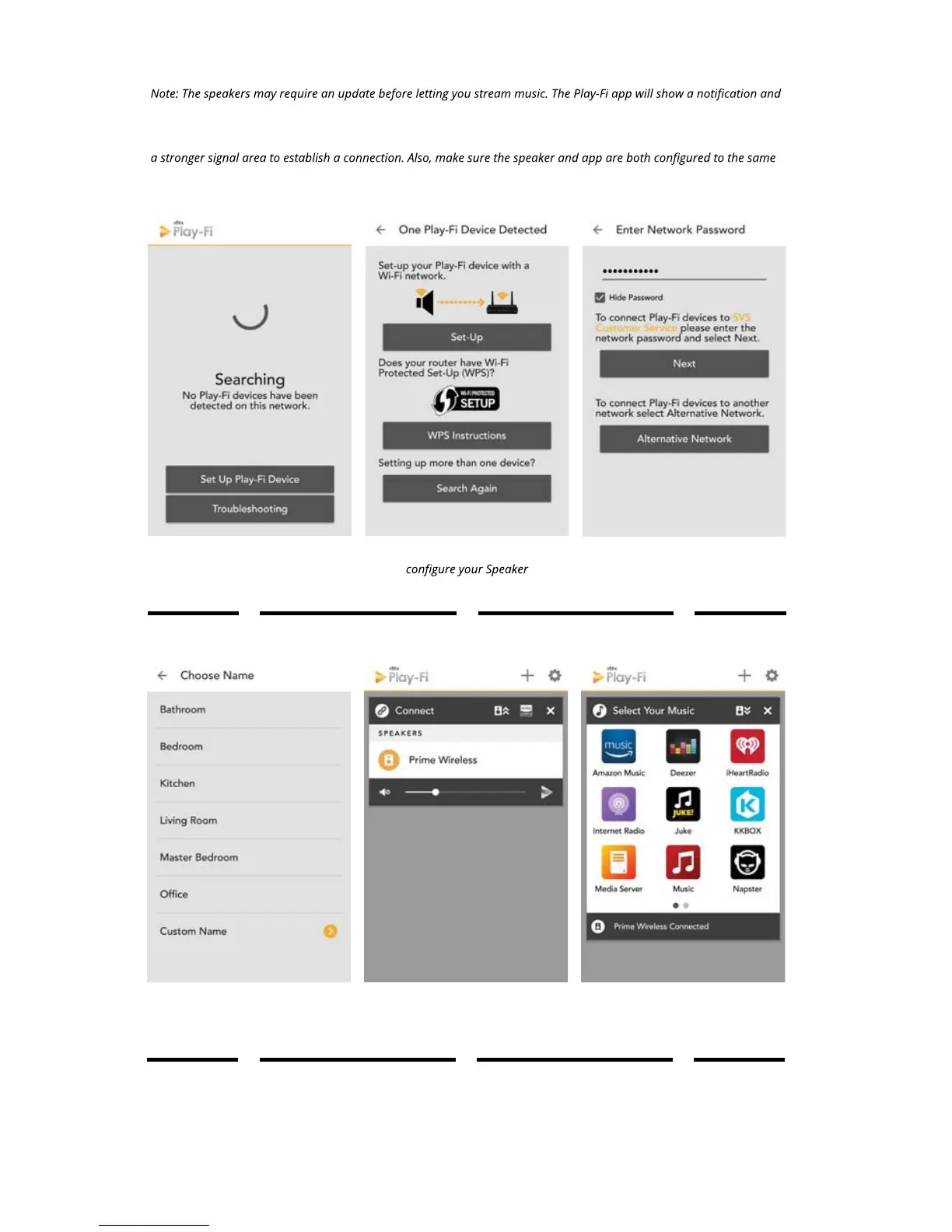
Select “Set Up Play-Fi
Device”
Choose “Set-Up” to
and Wi-Fi network.
Enter your Wi-Fi network
password and select
“Next”
Once your speakers are set up, you can access music from your devices and your
favorite streaming services. You can also enjoy full resolution Critical Listening Mode
Critical Listening Mode, create a multi-room audio system, and more.
456
Choose a name for your
Prime Wireless Speaker.
Select new device name
from Play-Fi menu.
Select your favorite
streaming method/
service


 To Next Page