Need help?
Do you have a question about the SVS Prime Wireless Pro and is the answer not in the manual?
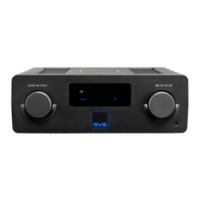
Rotate knob for input selection; press to dim or turn off display.
Wi-Fi and Bluetooth ports for wireless connectivity.
Output to left speaker and HDMI In (ARC) for TV connection.
Search and download the free DTS Play-Fi app from app stores.
Speakers enter Wi-Fi setup mode; app detects and connects the device.
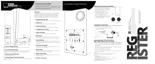
Step-by-step guide for setting up on iOS and Android devices.
Select input via knob/remote; control volume via speaker, remote, or app.
Select playlist/station in app, choose button, and hold to save.
Access presets by pressing buttons; repeat steps to overwrite.
Open app, connect to speakers, select music, and control playback.
Use Play-Fi app Settings to create, name, and select speakers for groups.
Use Play-Fi Start screen to add new zones and manage up to four zones.
 General
| Frequency Response | 42 Hz - 25 kHz (±3 dB) |
|---|---|
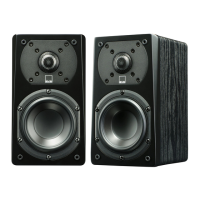
| Tweeter | 1-inch aluminum dome |
| Outputs | Subwoofer Output |
| Type | Powered Wireless Speaker |
| Amplifier Power | 200 Watts (50 watts x 4) |
| Connectivity | Wireless and wired |
| Inputs | HDMI ARC, Optical |
| Wireless Connectivity | Wi-Fi, Bluetooth |
| Supported Audio Formats | MP3, WAV, FLAC, AAC, WMA |
| Streaming Services | Spotify, TIDAL, Amazon Music |
| Woofer | 5.25-inch polypropylene cone |

 To Next Page