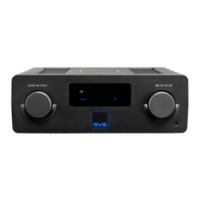
4. Select the input by rotating the left control knob or from the remote control. The source will be
displayed on the front panel OLED display.
a. Select HDMI for audio playback of devices connected to the HDMI input
b. Select Optical for audio playback of devices connected to the Optical input.
c. Selecting Line In will allow you to access both the stereo RCA L/R inputs or the 3.5mm
line level input.
NOTE: If devices are connected to both the 3.5mm AUX inputs and the L/R RCA AUX inputs, the 3.5mm input
will override the L/R AUX inputs.
5. Operate device as normal.
6. Volume can be controlled from the right-hand control knob of the Prime Wireless Pro Powered
Speakers, the included remote control, or from the Play-Fi app volume control sliders.
7. When using HDMI to connect to your TV, you can now use your TV’s remote or the remote from
your TV service provider such as Dish, Direct TV etc. to control the volume and mute functions of
your Prime Wireless Pro Powered Speakers*
HDMI ARC and eARC connections on TVs can work differently by brand and model. If the sound is distorted or you do not
hear any sound, you may need to adjust your TV’s settings as follows:
1. Using your TV’s remote control, go to your TV’s setup menu
2. Enable HDMI ARC, eARC, or CEC
3. Make sure “Audio Output” is set to “External Speaker” or similar
4. If available, set the audio output to Stereo or PCM Stereo
5. If you’re still having issues, please contact the SVS Sound Experts
If you have any questions about connecting via line level inputs, please contact our SVS Sound Experts: Email • (877) 626-
5623 • Chat
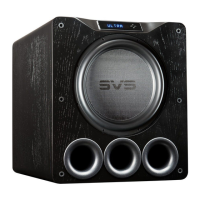
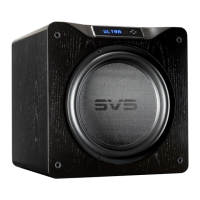
Connecting A Subwoofer
For deeper and more powerful bass, the subwoofer output allows you to directly connect a subwoofer from SVS or any
other brand.
1. Locate the “LFE” input on your subwoofer and connect a standard RCA audio interconnect cable.
2. Connect opposite end of cable to the “SUB OUT” output on your Prime Wireless Pro Powered
Speakers.



 To Next Page