Prime Wireless Pro Powered Speaker Pair Manual – SVS
momentarily activate the display to give visual feedback before once again turning off.
Rebooting Your System
To reboot your Prime Wireless Pro Powered Speakers, simply unplug the power cable for 10 seconds, then plug it back
in. The system will reboot and all previous settings will be restored.
Initiating A Factory Reset
There are a few reasons why you might need to restore your Prime Wireless Speaker System to its original factory
settings, including: pairing with a new router, changing the assigned WiFi network, clearing presets, or clearing all
connected Bluetooth devices.
NOTE: ALL SAVED SETTINGS WILL BE LOST VIA A FACTORY RESET.
To initiate a factory reset:
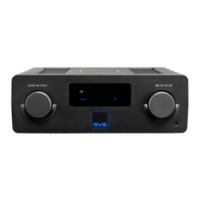
1. Press-and-hold both front panel control knobs for 10 seconds until the reset initiates
2. You will hear a tone and the OLED display will show [FACTORY RESET]
NOTE: ALL SAVED SETTINGS WILL BE LOST VIA A FACTORY RESET.
Caring For Your Prime Wireless Pro Powered Speakers
Your Prime Wireless Pro Powered Speakers may be gently cleaned as follows:
1. Use a dry microfiber duster to remove any loose surface dust.
2. Use a water-damp, lint-free microfiber cloth to remove fingerprints, smudges and other
contaminants. Wipe in one direction only.
3. Follow any damp cleaning immediately with a dry microfiber cloth. Again dry wipe in one direction
only.
Router Optimization
Most modern routers are already set up to work well with streaming products like Play-Fi, but even with current routers,
there are some things you can check to make sure you get the best possible experience before setting up your Prime
Wireless Pro Powered Speakers.
1. Select the best Wi-Fi channel for your network.
2. Enable Quality of Service (QoS) features like Wireless Multimedia Extensions (WMM)
3. If using advanced DHCP assignments or port-forwarding, allow exceptions for Play-Fi


 To Next Page