Source & Display Control
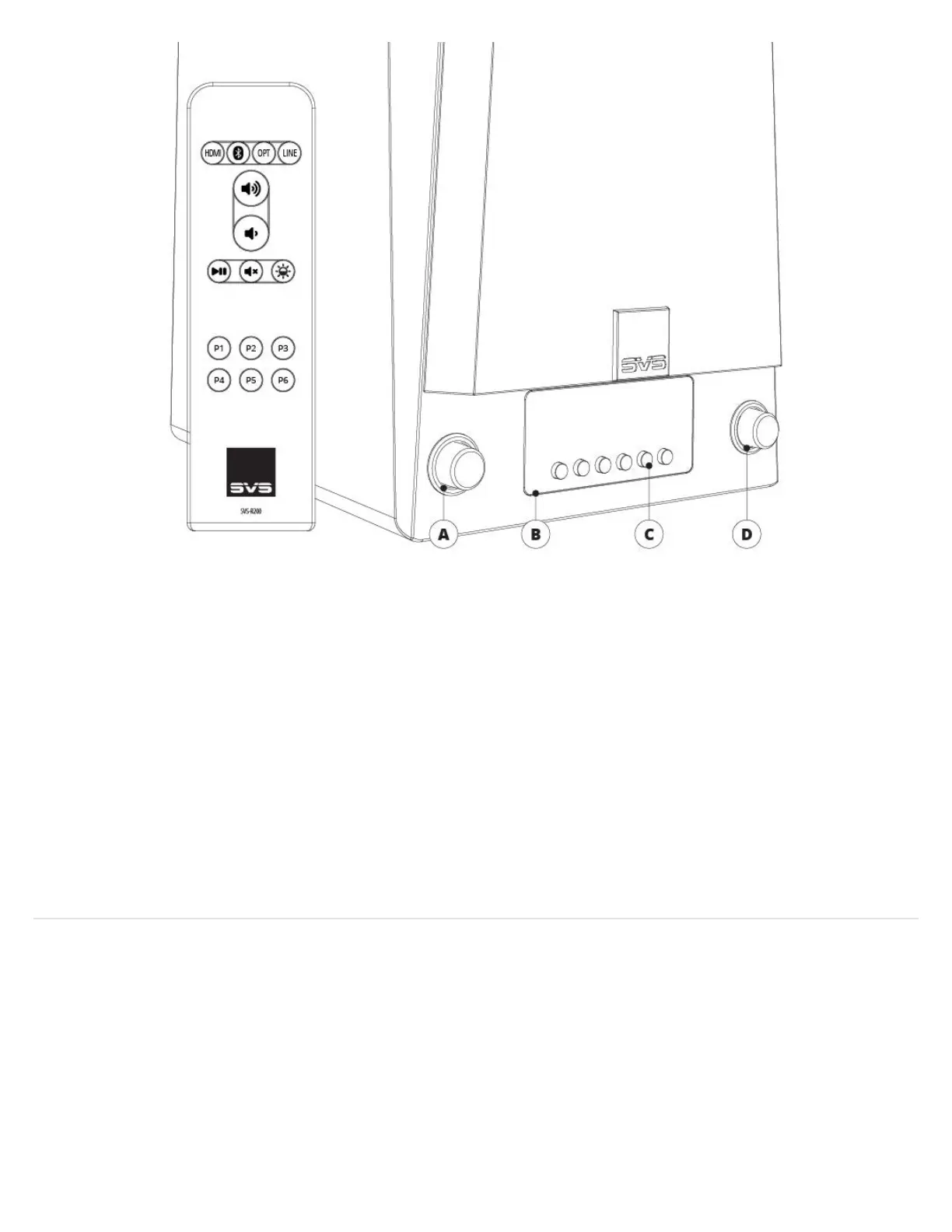
Rotate the knob to change the input. Press the knob to dim or turn off the display.
Front Panel OLED Display
Indicates the selected audio source, volume level, pause, mute, and track information (when available). Also provides
feedback when setting and selecting presets.
Backlit Preset Buttons
For setting and selecting presets.
Volume Control, Play/Pause, & Mute
Rotate the knob to adjust volume.
Headphone Output
Connect headphones for private listening.
Rear Panel Connections & Controls
1. Network Input/Output
Connect a standard Ethernet cable from your router for hard-wired
network connection.
2. USB Service
For firmware updates and for powering or charging USB devices.


 To Next Page