Set-up Troubleshooting
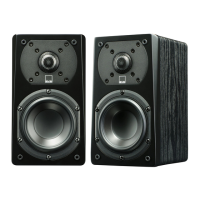
Re-triggering Set-Up Mode: If your Prime Wireless Pro is trying to re-connect to an unavailable
network, or you want to connect the Prime Wireless Pro Powered Speakers to a new network, you
may need to re-trigger Set-up Mode. To enter Set-Up Mode, press and hold the Wi-Fi button for 8
seconds. You will hear a tone at 4 seconds, but do not release the button until after you hear the
same tone again after the full 8 seconds. The product will now be in Set-Up Mode, and the green
Wi-Fi light will slowly pulse on and off. Retry steps 1-4 above in “Setting up WiFi and the DTS Play-
Fi App”.
WPS Mode: If your router supports Wi-Fi Protected Setup (WPS) mode, you can use this to
connect your Prime Wireless Pro Powered Speakers to your network. Activate your router’s WPS
mode by pressing the button on your router, and then put your Prime Wireless Pro Powered
Speakers into WPS mode. To put the Prime Wireless Pro Powered Speakers into WPS Mode,
press and hold the Wi-Fi button for 4 seconds. At 4 seconds you will hear a tone and the Wi-Fi
light will begin to blink a pattern of two times on and then a pause and then repeat. When your
Prime Wireless Pro Powered Speakers and Router are both in WPS mode, your Prime Wireless
Pro Powered Speakers will automatically connect to the network. Use the Play-Fi app to rename
your Prime Wireless Pro Powered Speakers.
If your SVS Prime Wireless Pro Powered Speakers are not discovered by the WiFi network, try moving closer to your router or to a
stronger signal area.
If you have any questions during WiFi set-up, please contact our SVS Sound Experts: Email • (877) 626-5623 • Chat
Enabling Critical Listening Mode
Critical Listening mode will enable native rendering of high-resolution files up to 24-bit/192KHz, with no down-sampling
or network synchronization adjustment.


 To Next Page