SETTING UP YOUR ULTRA SURROUND
SURROUND MODES
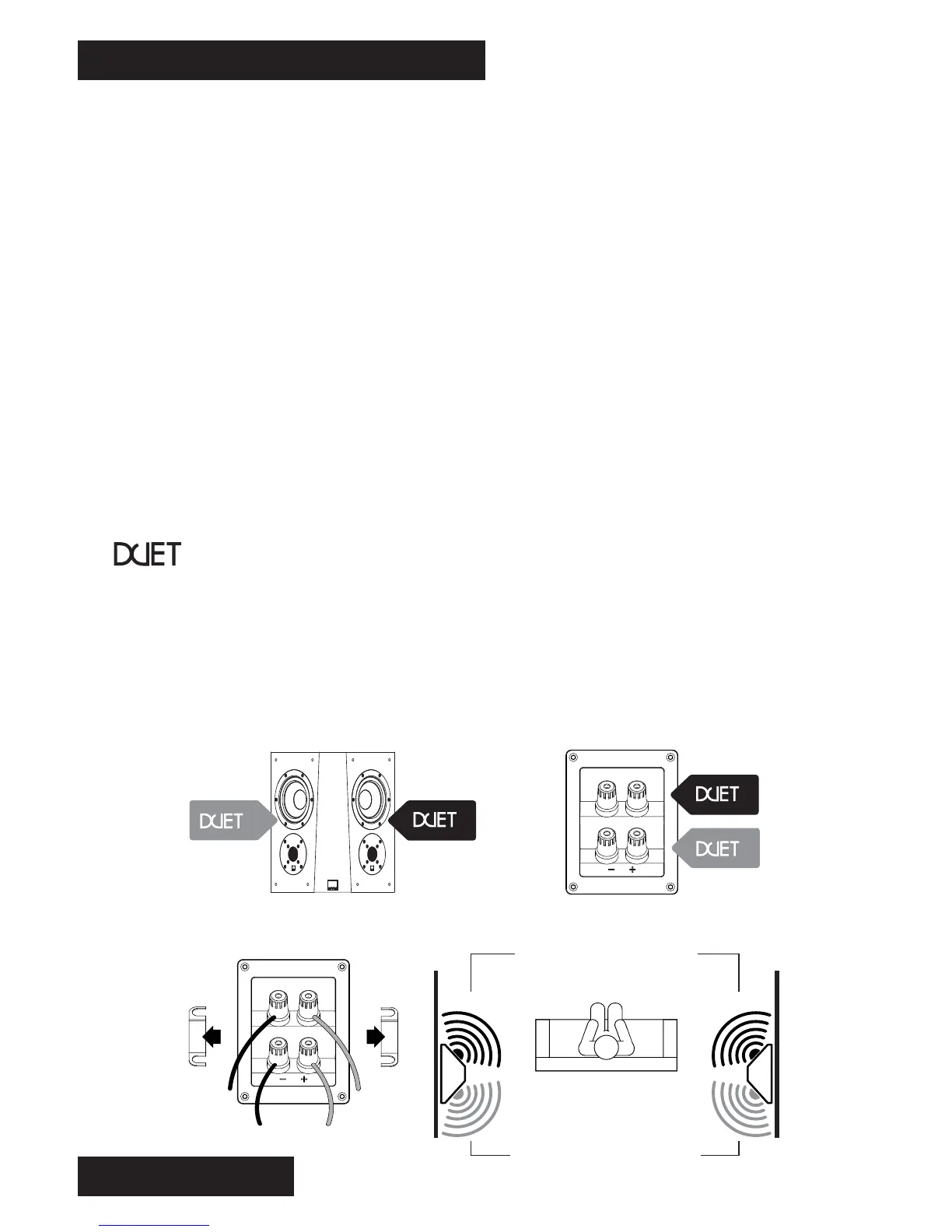
For Duet mode, perform the following steps:
• Remove the jumper straps as shown in the below diagram.
• For the right side surround, connect the amplifier wires to the lower (Duet 2) binding posts.
• For the right rear surround, connect the amplifier wires to the upper (Duet 1) binding posts.
• For the left side surround, connect the amplifier wires to the upper (Duet 1) binding posts.
• For the left rear surround, connect the amplifier wires to the lower (Duet 2) binding posts.
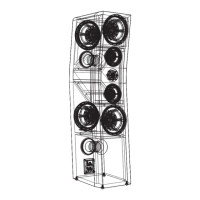
Duet Mode - Duet mode is a unique configuration which allows a single Ultra Surround
speaker to be used as two independent speakers. This means you can use just two (2)
Ultra Surround speakers, and still have four (4) discrete side/rear surround channels for a
true 7.1 surround setup.
Duet mode is recommended for all home theater systems which have a 7.1 A/V receiver
and use one (1) pair of surround speakers.
Bipole Mode - In bipole mode, both sets of speakers are in phase, which provides a more
localized and directional surround sound effect. Bipole mode is recommended for home
theater systems which have a 7.1 A/V receiver and use dedicated side surround and rear
surround speakers.
Dipole Mode - In dipole mode, both sets of speakers are out of phase, which provides a
more diffuse and non-directional surround sound effect. Dipole mode is recommended for
home theater systems which have a legacy 5.1 A/V receiver and use one (1) pair of
surround speakers which are mounted directly to the sides of the listening position.
9
1
2
1
2
Remove
Straps
SIDE SURROUND CHANNELS
REAR SURROUND CHANNELS


 To Next Page