Back to top
41
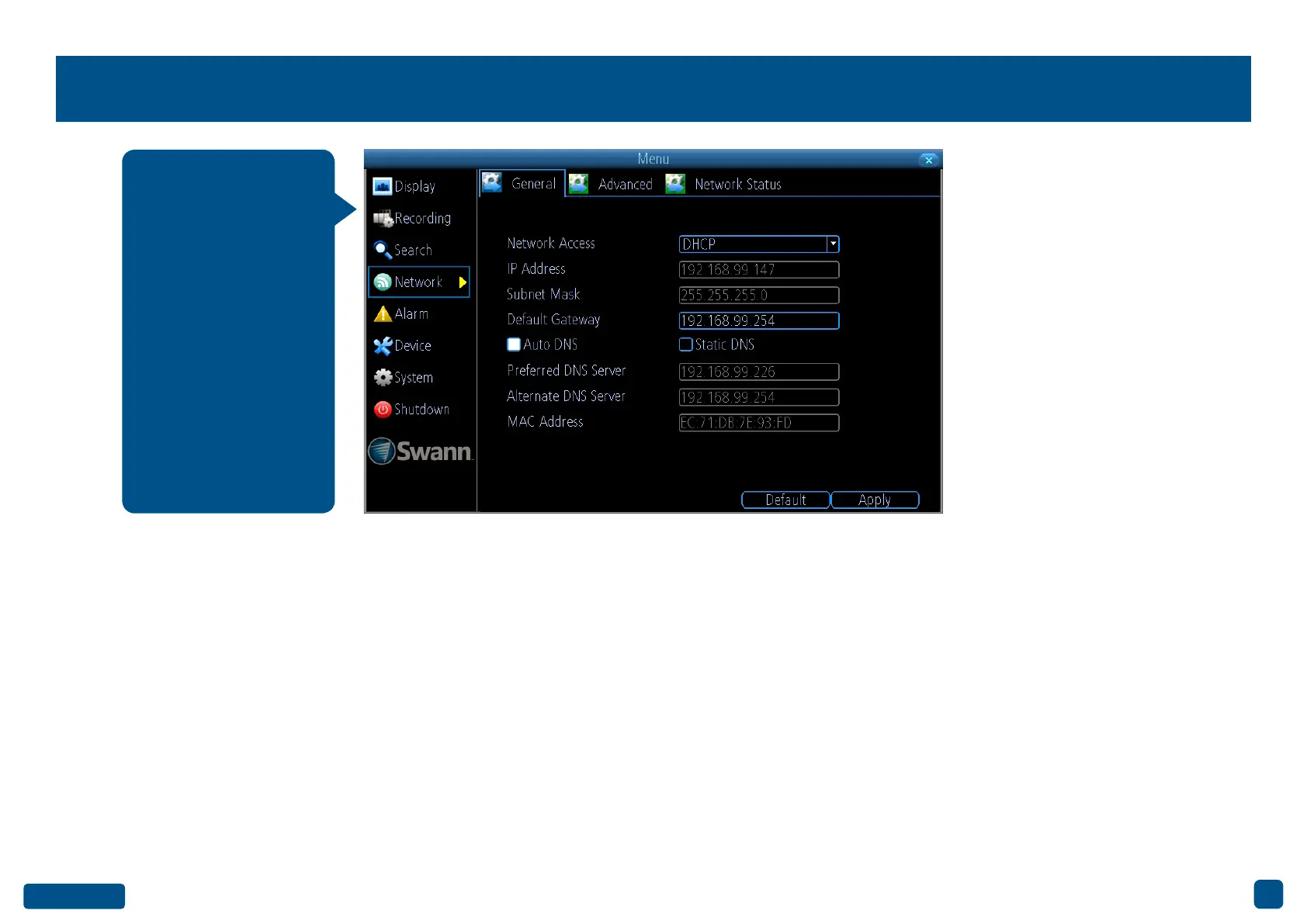
Network: General
Network Access: You can select between three different network types
that your DVR can be connected to. The three types are:
DHCP (Dynamic Host Configuration Protocol): This is a system where
your router will automatically assign an IP address to each device con-
nected to your network.
Static: This requires that all devices on your network have their IP ad-
dress manually defined.
PPPoE: An advanced protocol that allows your DVR to be directly con-
nected to a DSL modem.
IP Address: Each device on your network must have a unique IP address
to identify itself. A typical address might be “192.168.1.24” or something
similar.
Subnet Mask: This allows the flow of network traffic between hosts to be
segregated based on a network configuration. A typical address might
be “255.255.255.0” or something similar.
Default Gateway: This allows your DVR to connect to the Internet. This
is typically the same IP address as your modem or router.
Auto DNS/Static DNS: Select how would like to define your DNS servers.
It’s recommended to leave this on Auto DNS.
• Click the “Default” button to revert back to default settings.
• Don’t forget to click “Apply” to save settings.
• Right-click the mouse to exit the Menu.
As SwannLink Peer-
to-Peer technology is
utilised to communi-
cate with your network
and mobile device,
configuration of the
network settings is not
required. If you have
networking expertise
and require specific
settings for your net-
work, your DVR does
have the ability to
change them.


 To Next Page