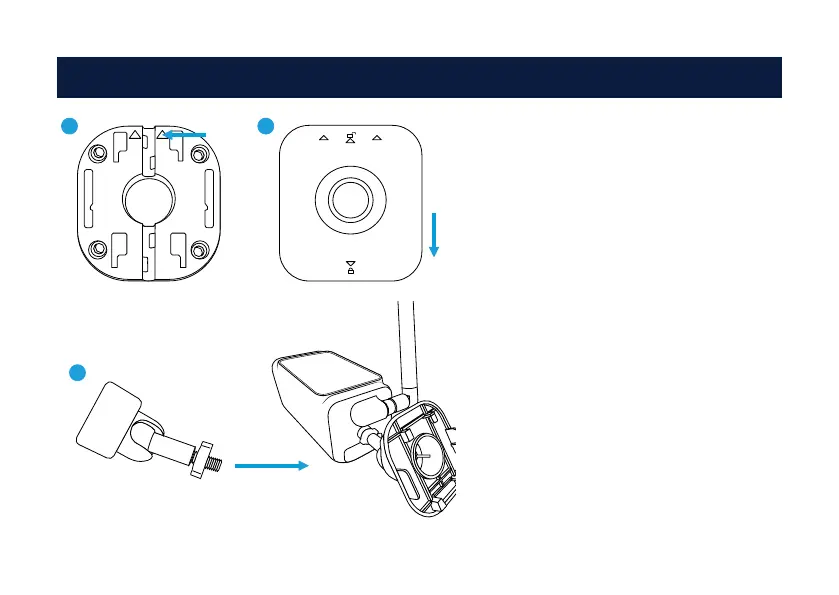
Securely attach the camera to a level surface
using the included screws and wall plugs. En-
sure that the surface is sturdy enough.
1. Place the mounting plate in the desired lo-
cation. Then, fasten the mounting plate in po-
sition using the suitable screws for the surface
you are attaching it to. Pay attention to the UP
marking while positioning the mounting plate.
2. Unscrew the mounting bracket from the
mounting base anti-clockwise. Place the
mounting base onto the mounting plate and
push down to lock it in place.
3. Secure the mounting bracket back onto
the mounting base clockwise, then screw the
mounting bracket to the rear of the camera.
Use the tiny bolt to secure. Adjust the viewing
angle, then tighten to secure in place.
Mounting the Camera4
1 2
3
UPUP
UP UP



 To Next Page