77
Video
Image Sensor 1/4” CCD
Video Quality 550: 420 TV Lines
560/580: 480 TV Lines
Number of Effective Pixels NTSC: 510 x 492 / PAL: 628 x 582
Minimum Illumination 0 Lux (IR on)
Day/Night mode Colour in lit area / Black & White at night
White Balance Automatic
Signal / Noise Ratio > 50dB
Electronic Shutter 1/60 - 1/100,000 NTSC / 1/50 - 1/100,000 PAL
Gain Control Automatic
Backlight Compensation Yes
Lens 3.6mm
Viewing Angle 62 degrees
Night Vision
Night Vision Distance 550: Up to 45ft/15m
560/580: Up to 65ft / 20m
IR cut filter No
Infra-red LEDs 12
Infra-red wavelength 850nm
Infra-red LED life 10,000 hrs
General
Indoor/Outdoor Both
Operating Power DC 12V
Operating Temperature -4°F ~ 122°F / -20°C~ 50°C
Body Construction Aluminum
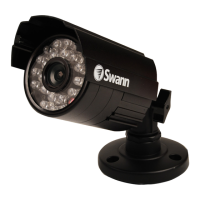
Dimensions - PRO-560 Camera & Stand 2.0” x 2.0” x 2.8” / 50mm x 50mm x 70mm
Weight – PRO-560 Camera & Stand 10.5oz / 286g
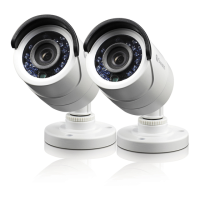
Dimensions - PRO-550/580 Camera & Stand 3.2” x 2.3” x 2.8” / 58mm x 58mm x 70mm
Weight – PRO-550/580 Camera & Stand 10.5oz / 286g
Problem: I can’t see the camera on my TV.
Solution: Ensure the camera is plugged in and the TV or VCR is tuned to the
correct input channel.
Problem: When I view my camera at night I only see a bright spot and no image.
Solution: Night Vision will reflect when shining through a window. Move the
camera to the other side of the window or another location.
Problem: The BNC Extension Cable will not connect to my TV.
Solution: Connect the BNC to RCA adapter to the end of the Extension Cable
and plug into the TV.
Problem: On my Swann DVR, Video Loss appears where my camera should be.
Solution: Check the Extension cable is securely connected to the camera and
check the connection is secure on the back of the DVR. Also ensure the camera
has power by trying a second power outlet.
Troubleshooting Guide
Technical Specifications


 To Next Page