EasyManua.ls Logo

Swann PRO-771 - User Manual

Swann PRO-771
8 pages
Print Icon
To Next Page IconTo Next Page
Loading...
1
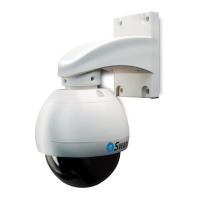
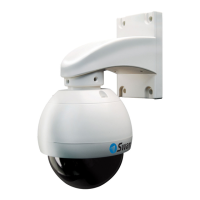
PRO-771 Dome
M771CAM190312E
English
Meijer.com
Question and Answer IconNeed help?

Do you have a question about the Swann PRO-771 and is the answer not in the manual?

Summary

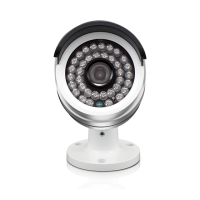
About the Camera

Placement Guide

Details the camera's 6mm, 50° lens and its implications for viewing specific areas and distances.

Tips: Positioning and Orienting

Provides advice on aiming the camera for optimal lighting and avoiding glare for better image quality.

Mounting and Installing

Installing the Camera

Explains how to mount the camera on a flat surface using screws and the included hardware.

Tips: Positioning your Cables

Advises on routing cables to avoid sharp bends and interference from electrical wiring.

Tips: Weather Resistance

Discusses the camera's weather resistance and precautions against direct sunlight and moisture.

Tips: Night Vision

Warns about objects near the lens that can blind the camera at night due to infrared reflection.

Connection Guide

2 A. Connecting Directly to TV

Guides on connecting the camera to a TV or VCR using a BNC to RCA adapter.

2 B. Connecting to Your Existing DVR

Details connecting the camera's BNC cable to an open channel on a DVR.

Troubleshooting

On Screen Display (OSD)

Explains the OSD controller connection and its advanced features, directing users to a website.

Technical Specifications

Helpdesk; Technical Support Details

Warranty Information

FCC Verification

Summary

About the Camera

Placement Guide

Details the camera's 6mm, 50° lens and its implications for viewing specific areas and distances.

Tips: Positioning and Orienting

Provides advice on aiming the camera for optimal lighting and avoiding glare for better image quality.

Mounting and Installing

Installing the Camera

Explains how to mount the camera on a flat surface using screws and the included hardware.

Tips: Positioning your Cables

Advises on routing cables to avoid sharp bends and interference from electrical wiring.

Tips: Weather Resistance

Discusses the camera's weather resistance and precautions against direct sunlight and moisture.

Tips: Night Vision

Warns about objects near the lens that can blind the camera at night due to infrared reflection.

Connection Guide

2 A. Connecting Directly to TV

Guides on connecting the camera to a TV or VCR using a BNC to RCA adapter.

2 B. Connecting to Your Existing DVR

Details connecting the camera's BNC cable to an open channel on a DVR.

Troubleshooting

On Screen Display (OSD)

Explains the OSD controller connection and its advanced features, directing users to a website.

Technical Specifications

Helpdesk; Technical Support Details

Warranty Information

FCC Verification

Swann PRO-771 Specifications

General IconGeneral
Weather ResistanceIP66
AudioNo
Indoor/OutdoorOutdoor
Power Supply12V DC
Night VisionUp to 100ft / 30m
ConnectivityBNC
Operating Temperature-4°F to 122°F (-20°C to 50°C)
Body MaterialMetal

Related product manuals