444
Connection Guide
INPUT
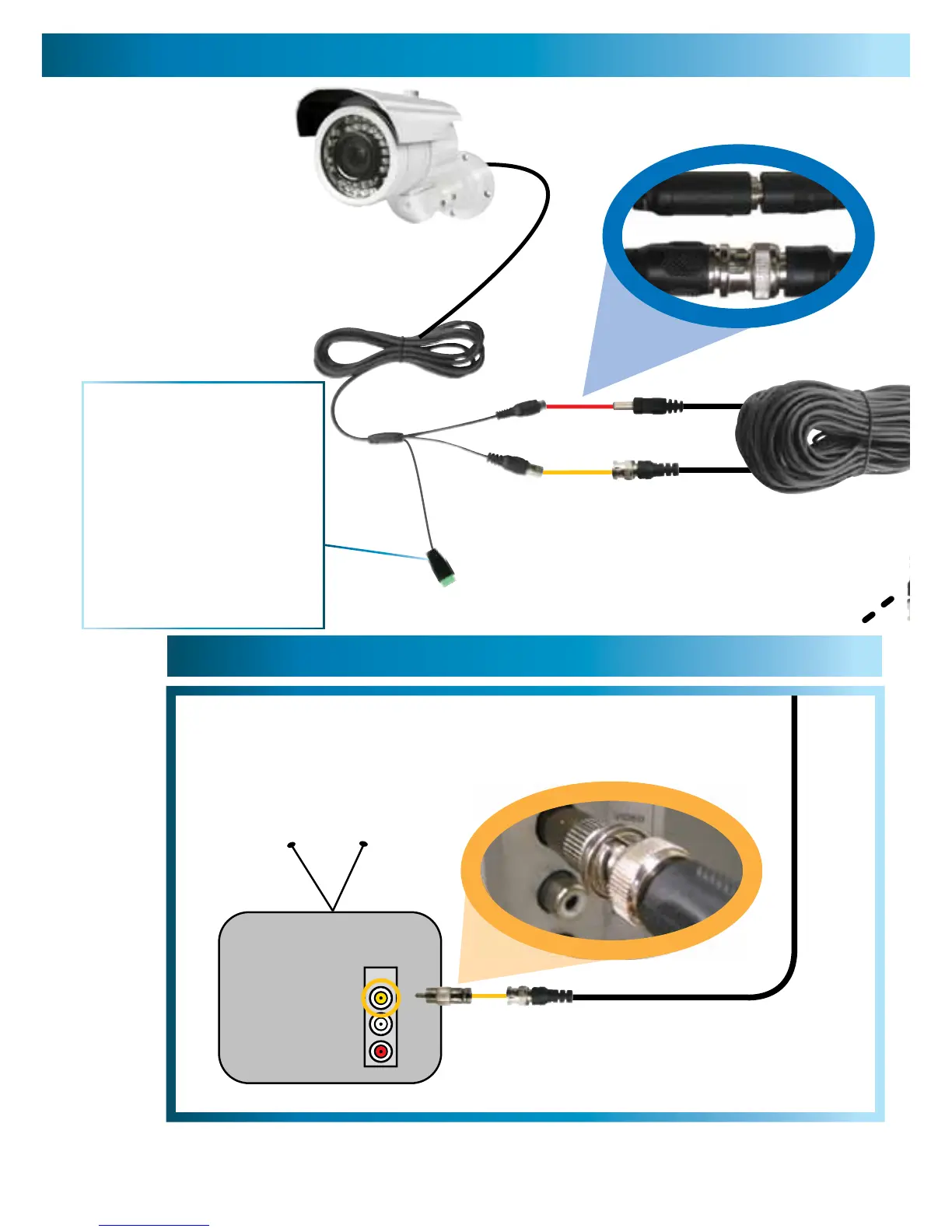
2A. Connecting Directly to TV
2B. Connecting to Your Existing DVR
Connect a BNC to RCA
adapter and connect to video
input on your TV or VCR
2
Connect the BNC extension
cable to an open channel on
the back of the DVR
2
Plug in the camera
power adapter into
a wall socket
4
Connect the camera’s DC
and BNC socket cable to the
extension cable’s DC and BNC plugs
1
Connect the extension cables
DC socket to the DC plug on
the power adapter
3
The green plug: what does it do?
Short answer: To connect the
OSD controller.
Longer answer: To access a
comprehensive guide for the
advanced features of this camera,
log onto our website at:
www.swann.com/osdpro
There’s also a little more
information on page 6.



 To Next Page