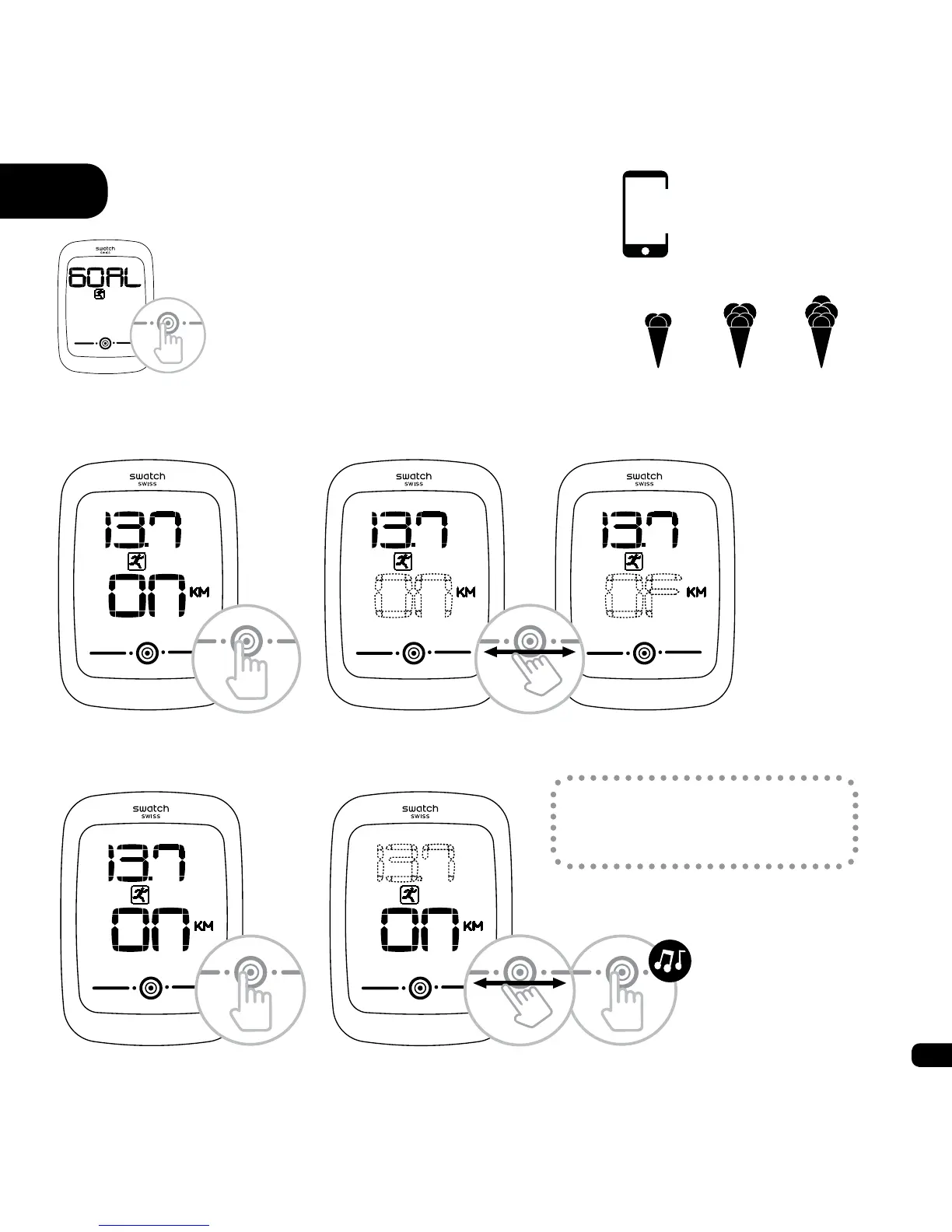
6 Goal
6.1. Activate/deactivate
6.2. Set
To set a goal, Goal must be
activated.
An ice cream icon lls up as you make
progress towards your goal.
1) You have achieved one third of your goal
2) You have achieved two thirds of your goal
3) You have achieved or exceeded your goal
a)
1) 2) 3)
a)
b)
b)
c)
Goal settings can be
changed in the app.


 To Next Page