1
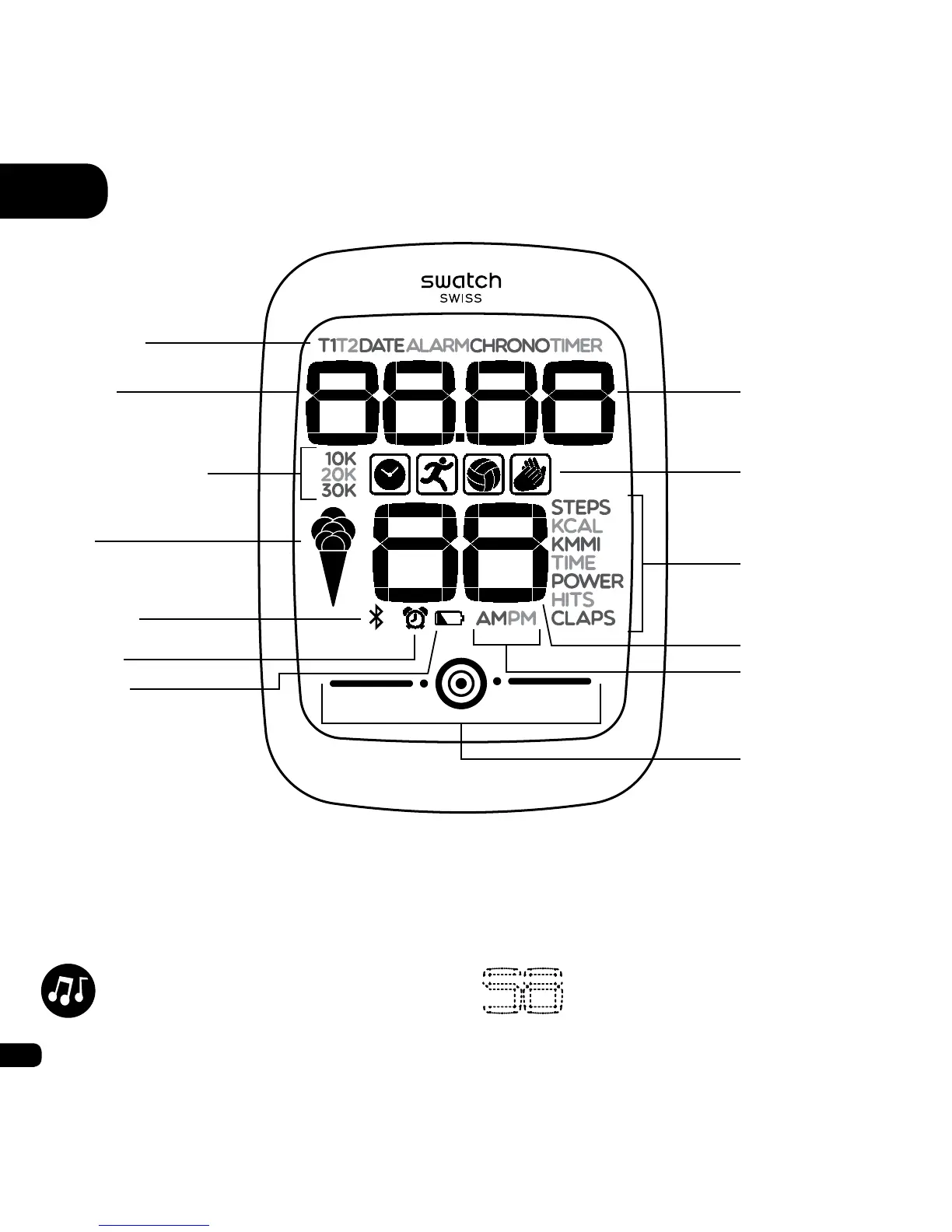
When you reach 10,000, the 10K icon is displayed (20,000 = 20K, 30,000 = 30K)
2
Displayed on each screen when the alarm is activated
3
Displayed when the battery is running low
4
Displayed on all the T1/T2 screens when the 12 hour format is selected
A Interface
Conrmation is always
accompanied by a sound.
Information that can be entered
or changed ashes.
Functions
Minutes
Hours
Functions (ctd.)
Number of steps
1
Statistics
Bluetooth
Goal
Seconds
Alarm²
12 hour clock
mode
4
Battery³
Touch zone


 To Next Page