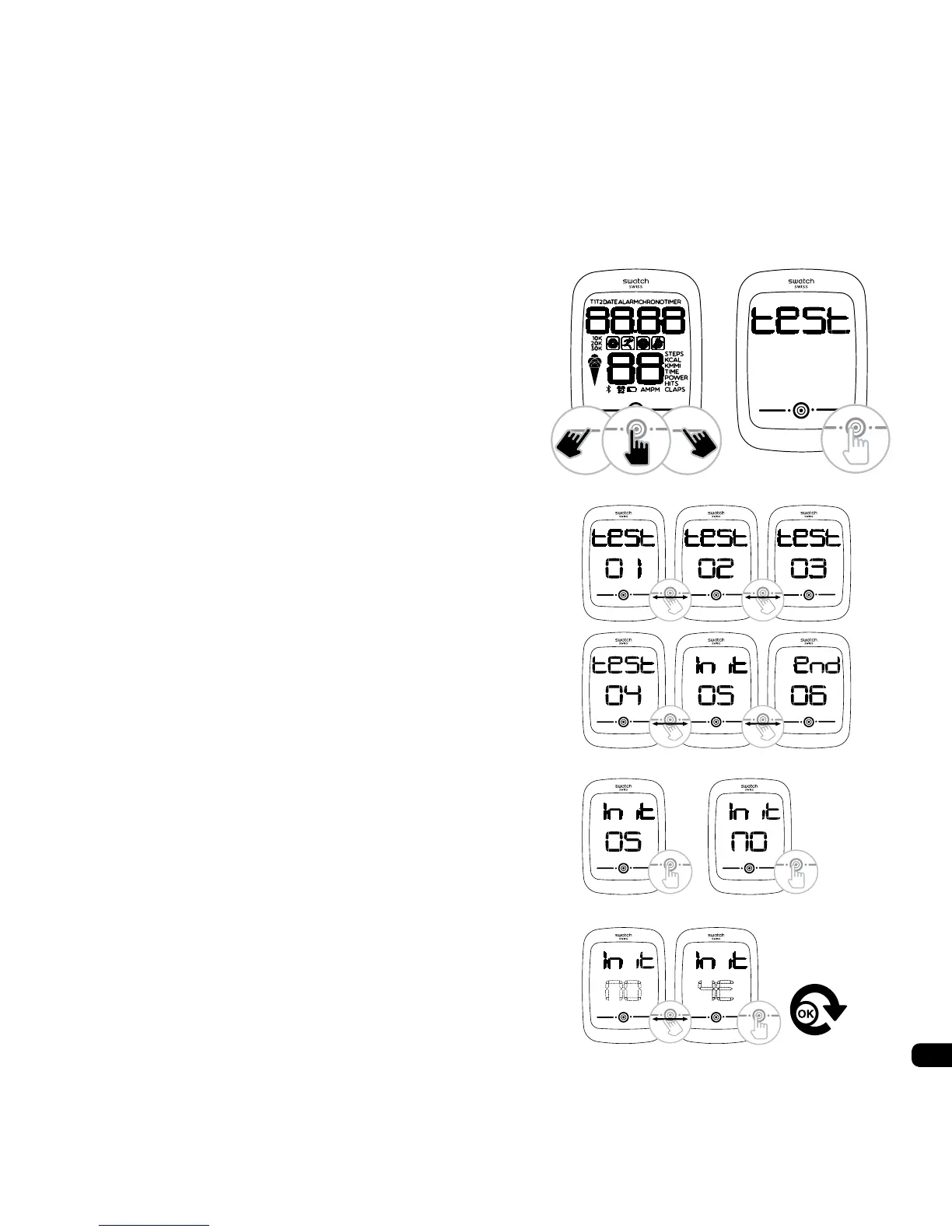
4. Restore default user factory settings
1. Remove the battery
2. Wait for the LCD to turn black
3. Replace the battery, keeping a nger under-
neath
4. After reconnecting the battery:
- the watch emits a 2 second beep
- the software loads
- the beep stops
- the screen lights up for 5 seconds
5. Wait for 1 second, touch the 3 touch zones at
the same time when the screen is lit up
6. Wait for the screen to display ‘test’
Remove your ngers
Short Press to enter
7. Go to the Init screen by swiping
8. Short Press to enter
9. Short Press to change
10. Swipe to choose YE (Yes)
Short Press to validate
Your watch has been restored to its factory
settings.
5) 6)
7)
8) 9)
10)



 To Next Page