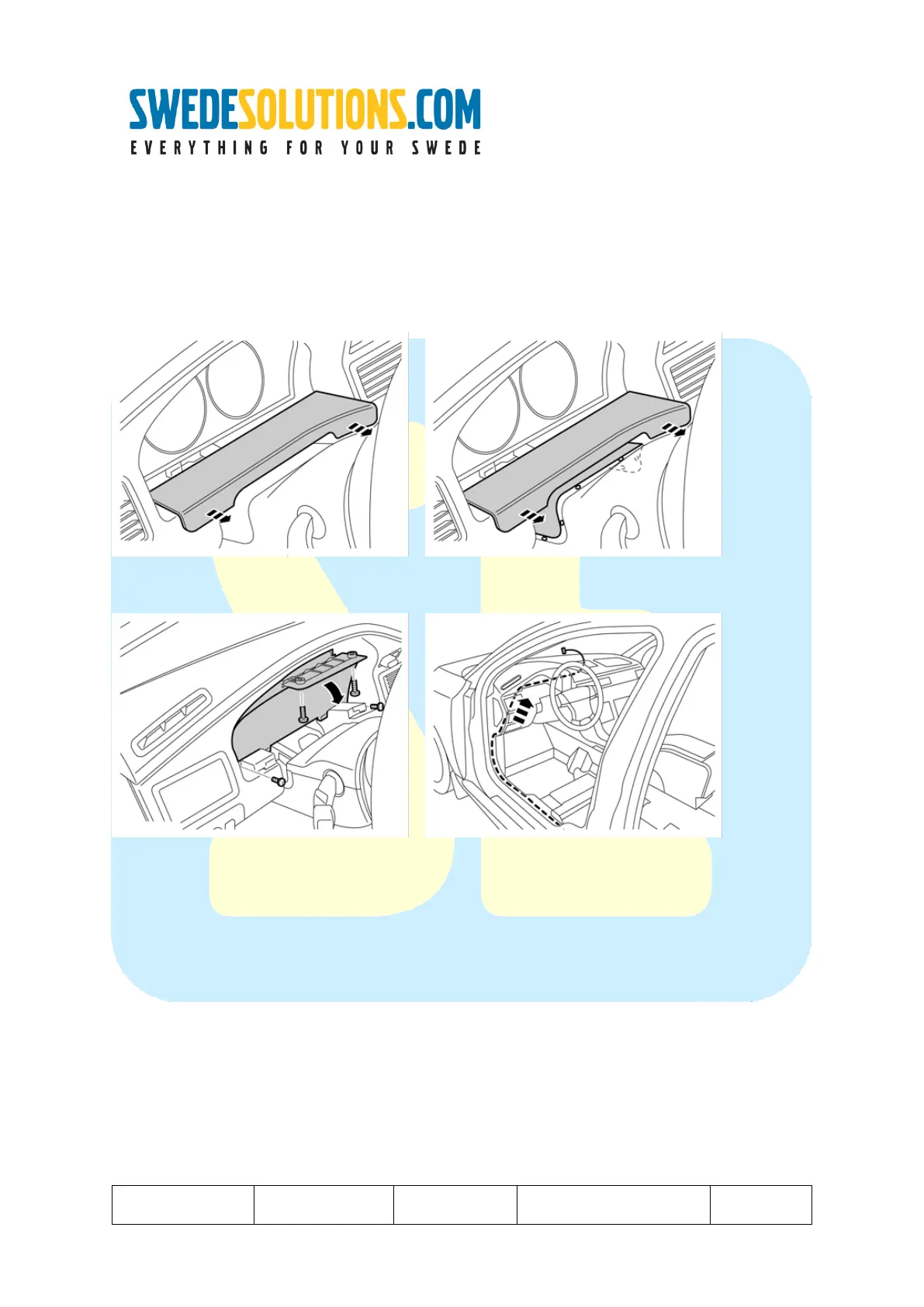
Step 3: Remove either the DIM (Driver Information Module) or Glove compartment
(depending on the device to be installed, you can choose to guide wires to the HLDF from the Driver- or Passenger side!)
In case a front cam is going to be mounted, removing the glove compartment is required.
** Removing the DIM:
1 -> pull the lower panel forward.
2 -> lift the panel at the steering wheel cover. (held with 6 clips)
1 -> Remove the 4 torx (size 20) screws
2 -> Pull the DIM forward and out after tilting it down towards the steering wheel.
3 -> disconnect the DIM and remove it.
4 -> guide any video harness towards the HLDF as suggested.



 To Next Page