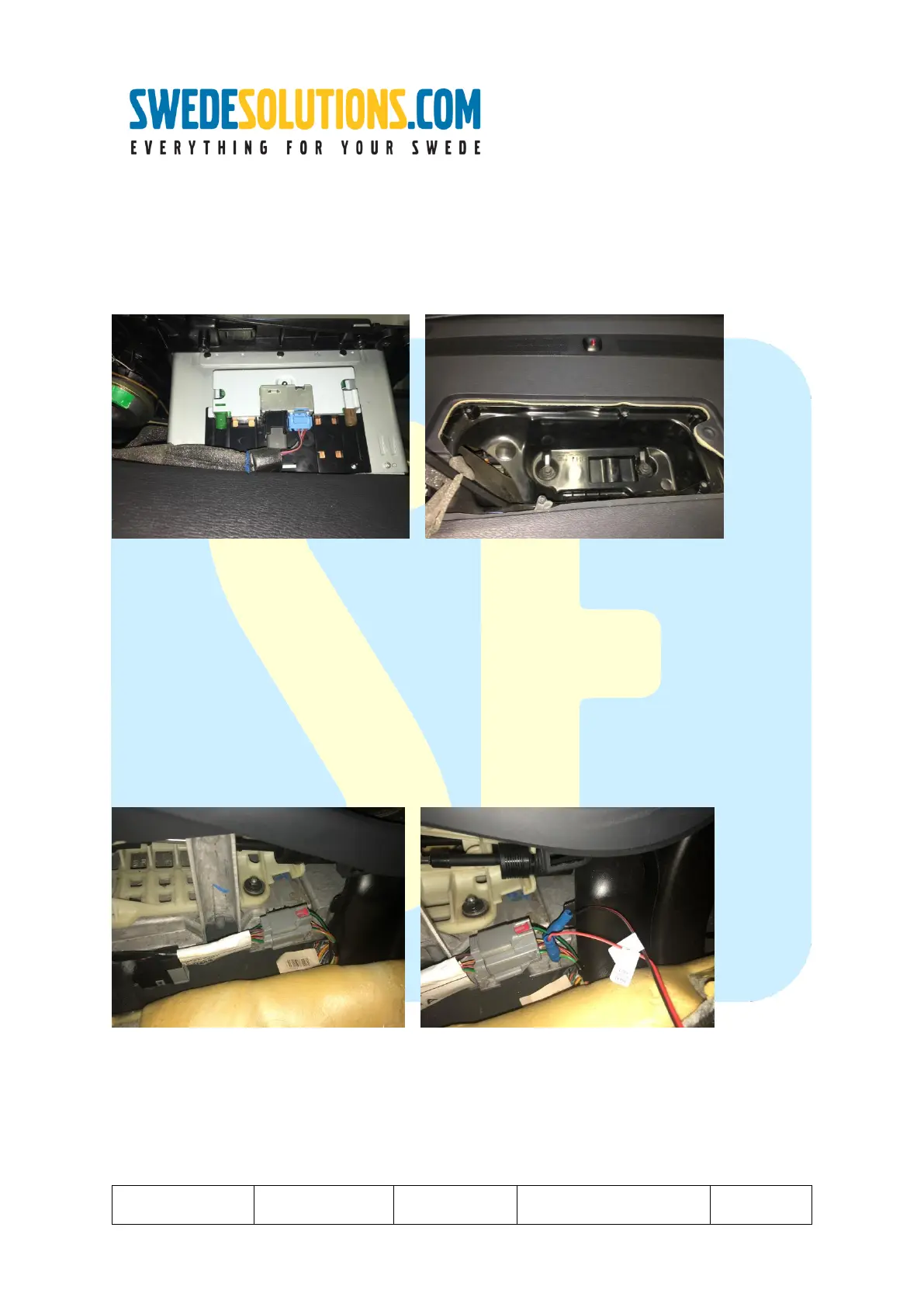
Step 4: Make connections to the HLDF
Connections of the device(s) to the HLDF are made to the Green (Video 1) and brown (Video 2) ports.
The grey (RGB) and blue (12V+/Gnd and canbus) are in use by the HLDF itself and the RTI navigation computer.
Any device (globally, so region independent!) to be connected to one of the available port offer a Composite NTSC signal
output.
1 -> Connect video sources to the green and brown connector. (If camera’s were bought with SwedeSolutions.com, a
matching connector has been supplied, alternatively the connector with conversion to RCA is available separately at
SwedeSolutions.com) Generally BROWN is for Reverse camera and GREEN for front camera / other video usage.
2 -> When returning the screen into its bracket, please be careful with the harnesses, the bracket is matching the size of
the screen and does not give any space for extensive wiring. Always guide wires to the open part (following original har-
nesses) and from there choose the direction to go (Direction DIM or direction of the glove compartment).
Step 5: Connect power 12V+ and GND to the Camera harness.
Use the supplied Quick connects to connect the 12v+ (Connect to Green-orange) and GND (connect to Green-black) (For
Camera power supply) and fold back the carpet once done. The mini-connector should stay available to connect the cam-
era to.
In case you find grey and black wires (more thick wire than the other wires in the same connector) instead of the described
above; Grey is assumed to be 12V+ and black to be GND.



 To Next Page