English version
WWW.SWEEX.COM
8
Advanced settings
Apart from the Setup Wizard, you can also select Advanced options in the main menu of the Sweex Wireless Router. (Extra and Tools). More
information about this may be found in the comprehensive English language manual on the CD-ROM.
Known problems and solutions
Pinging between the computers connected to the router cannot be done
There may be two reasons why pinging between computers cannot take place. If necessary, deactivate the Firewall such as Norton or ZoneAlarm,
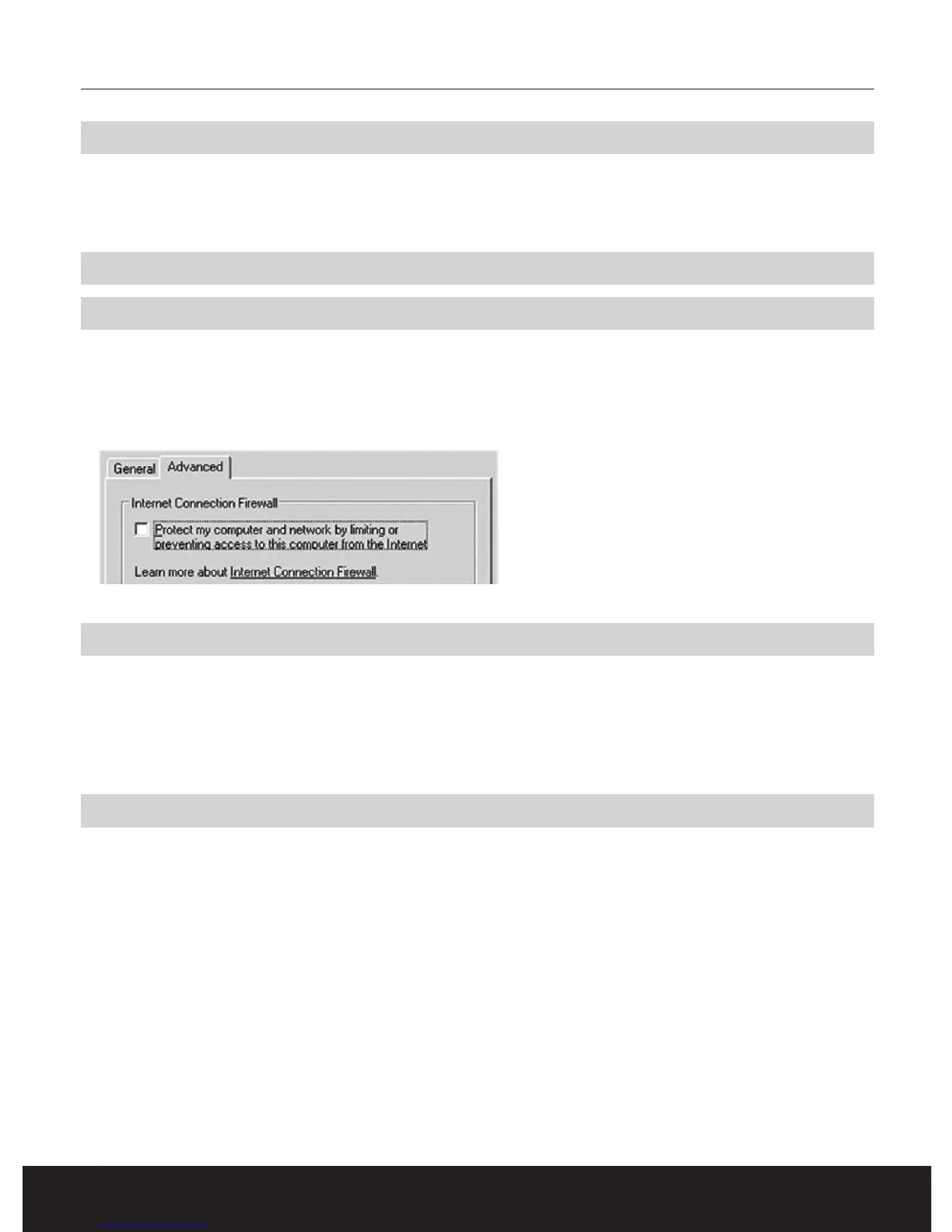
if any active. In Windows XP, check the network card settings. Switch off the Firewall option. Go to: “Configuration screen” and select “Network
connections”. Now right-click with the mouse on the network card used and select the “Properties” option. Go to the “Advanced” tab and
remove the tick mark placed against the Firewall option.
Since the installation of the Wireless Router, Internet Explorer does not run properly
Check whether the correct type of connection has been set in “Internet Explorer”. Go to the menu “Extra” and select the menu item “Internet
Options”. Select the “Connections” tab and check whether the option “Never dial a connection” has been selected. Now click “LAN settings”.
Check whether all the options have been deactivated. Close the window by clicking “OK” and once again click “OK” to close the Internet Options
window . Finally close “Internet Explorer” and restart the computer.
Warranty
All articles that are carried under the name Sweex Essentials have a 3-year term of guarantee. Only the Sweex digital photo and video cameras
have a 2-year term of guarantee. We offer a warranty of six months on rechargeable batteries.
Settlement of guarantee takes place only via the dealer where you have purchased the product in question.



 To Previous Page