English version
7
The protection feature can be enabled in the second tab. Here a unique network name must be entered (default name is “Homeplug”). This network
name is also the password to gain access to the Powerline network. After having entered a network name, click “Set All Devices”. This only works
if the “Password” of the adaptors has been entered. Now the network has been secured and can only be approached by adapters which dispose of
the unique network name.
If the passwords of the adaptors have not been entered, only the locally connected adapter can be changed. This adapter is then isolated from the
Powerline networks, as only that adapter has a unique network name.
Only adapters which have the same network name can form a network together. The default network name is “HomePlug”. So, if no protection is
needed, you need not configure anything.
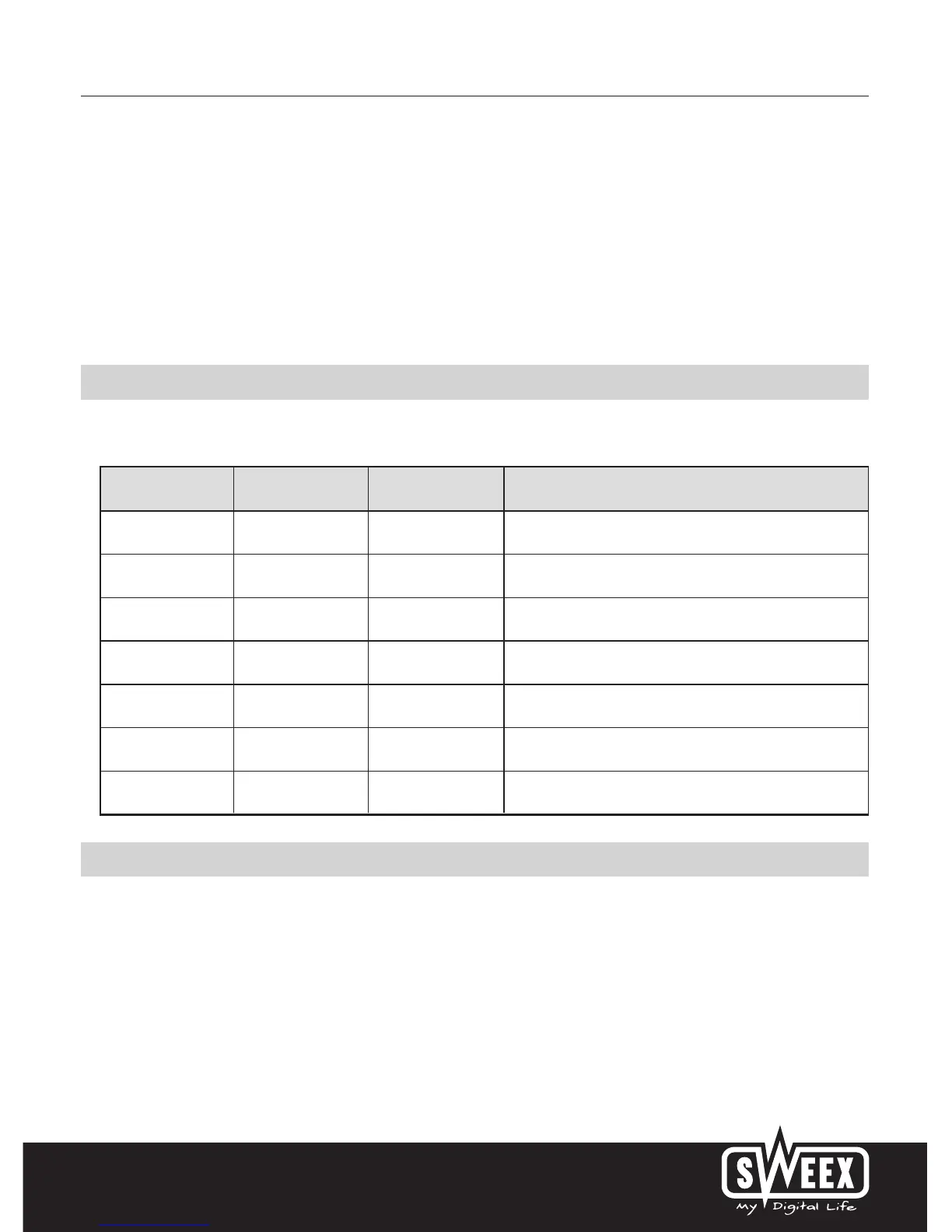
LED indicators
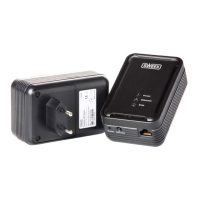
The Sweex Powerline Ethernet Adapter 85 Mbps contains 3 LEDs:
LED Indicator Colour Status Meaning
Powerline Green Lit Another adapter has been detected in the same network.
Off No other adapter has been detected in the same network.
Blinking Activity in the Powerline network.
Power Green Lit The adapter is switched on.
Ethernet Green Lit
The network port is properly connected and ready to send/receive data.
Off The network port is not properly connected.
Blinking The network port is sending/receiving data
Warranty
All products under the Sweex brand are warranted for a period of three years. We do not grant support or warranties for any software and/or
(rechargeable) batteries included. Settlement of guarantee only takes place via the dealer where you have purchased the product in question.
The rightful owner has and retains title to all brand names and related rights mentioned in this manual.


 To Previous Page
 Loading...