54M Wireless Router User Guide
- 14 -
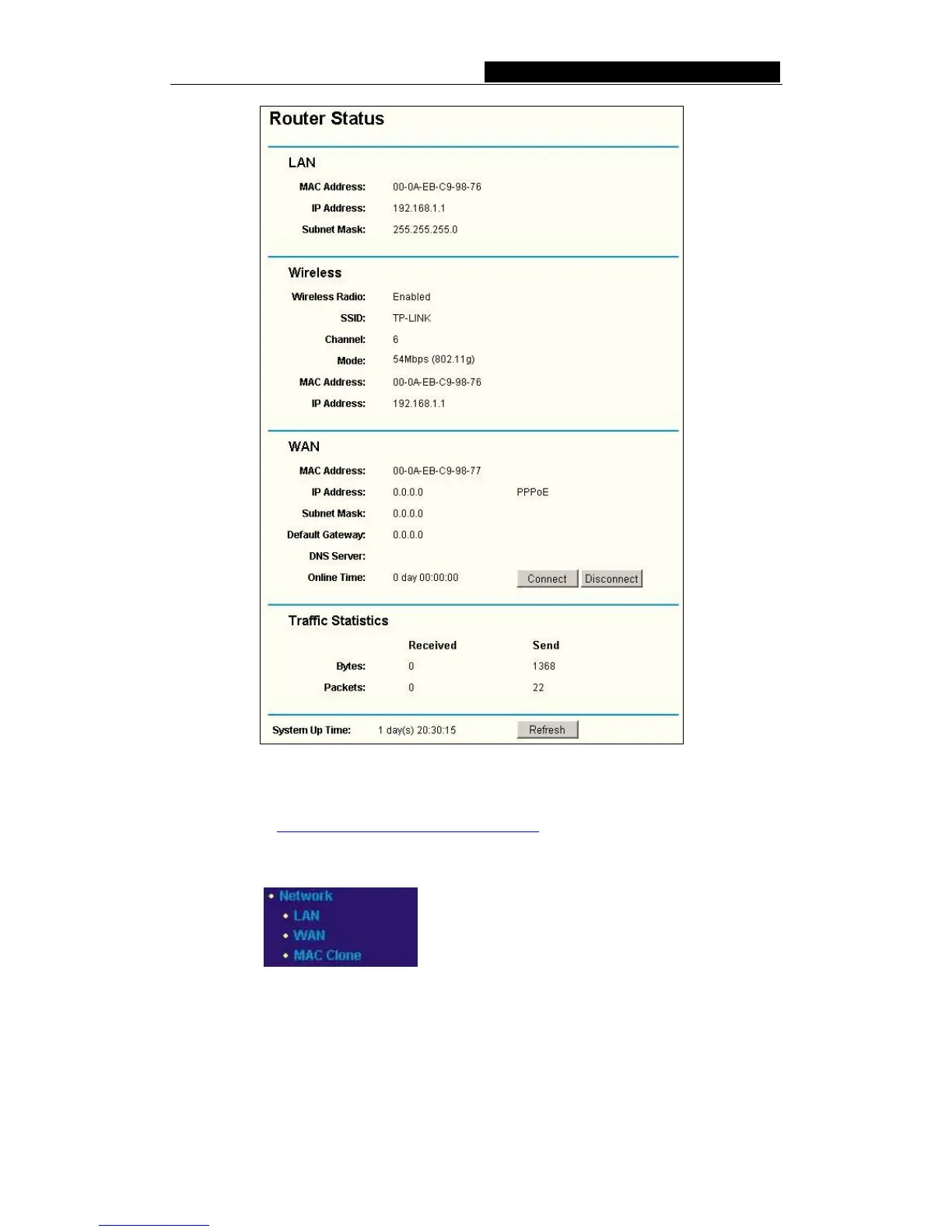
Figure 5-1 Router Status
5.3 Quick Setup
Please refer to Section 4.2: "Quick Installation Guide."
5.4 Network
Figure 5-2 the Network menu
There are three submenus under the Network menu (shown in figure 5-2): LAN, WAN
and MAC Clone. Click any of them, and you will be able to configure the corresponding
function. The detailed explanations for each submenu are provided below.



 To Next Page