GLOBAL
We reserve the right to alter specifications. 20170744
10
It is possible to reduce the number of units that will be
controlled through the Bacnet gateway, or to change the
IP address of the gateway and of the units as well.
- Download from www.lemmens.com website
the configuration 2 files.
- Installation package of "Compositor SW67673”.
- Package “Install BACnet Config”.
- Install first the software "Compositor SW67673”.
- Extract the package “Install BACnet Config” in
the Project folder of Compositor.
5.2 Custom configuration
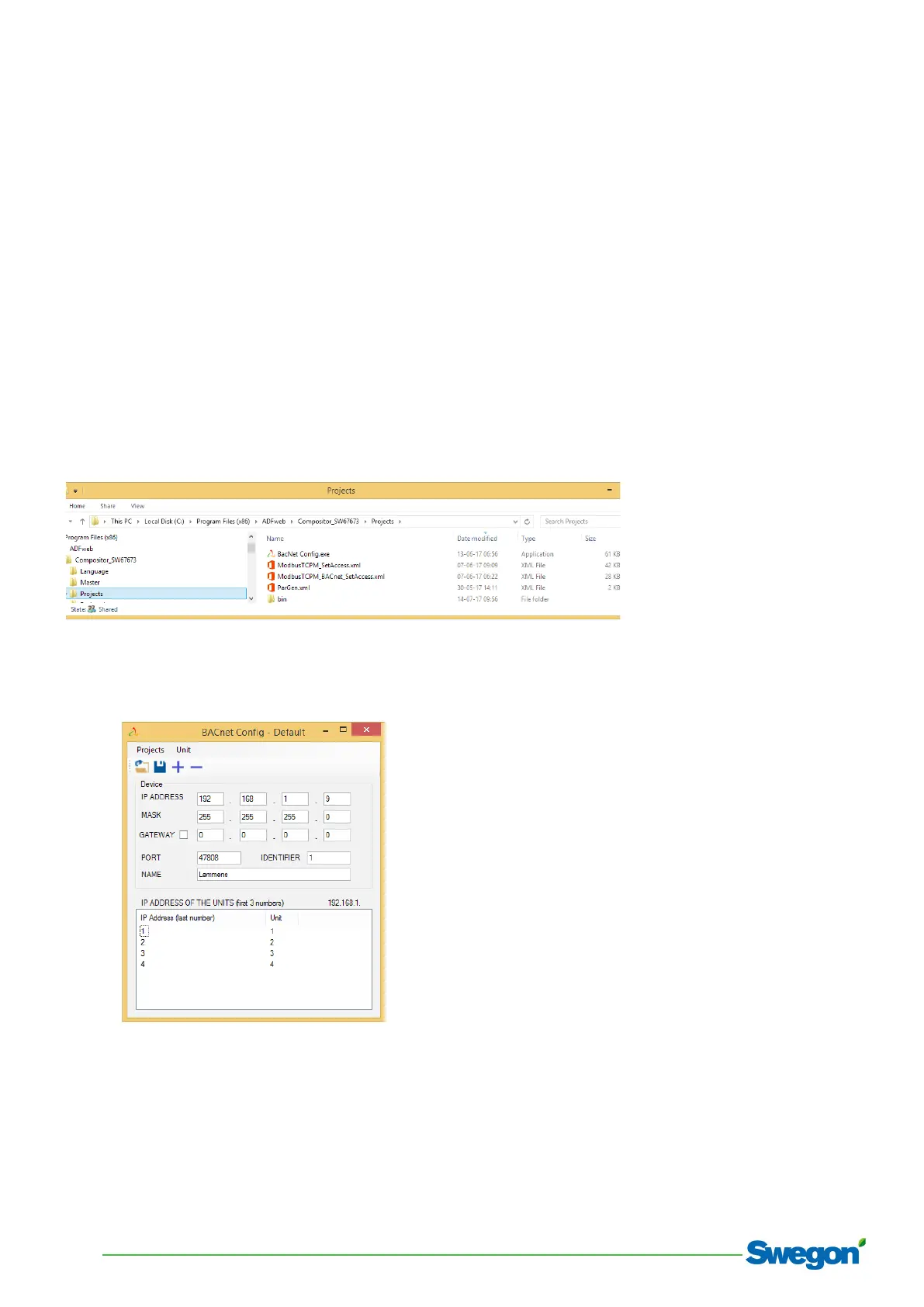
Example of installation:
Start BACnet config.exe:
With the interface it is possible to:
o Remove a unit or add a unit
o Change the gateway IP configuration
o Change the gateway communication port
o Change the last number of the IP address of the
units on the corresponding row inside the table.
N.B.: for the units, only the last number of the IP address
can be changed since it must be within the same range of
the gateway IP address.
o Save the configuration
o Open a previously saved configuration
5.3 Upload configuration
The module has a default configuration loaded, so there
should be no need to make any changes if the default
configuration can be used.
Procedure to change the configuration of the module:
1. Set up first the computer used for downloading in
order to be able to communicate with the gateway:
Set IP address of the computer to 192.168.1.10.
The net mask will be 255.255.255.0.
The gateway is not used so 0.0.0.0.


 To Next Page
 Loading...