ELECTRICAL SYSTEMS
64
SWIFT COMMAND POWER CONTROL SYSTEM
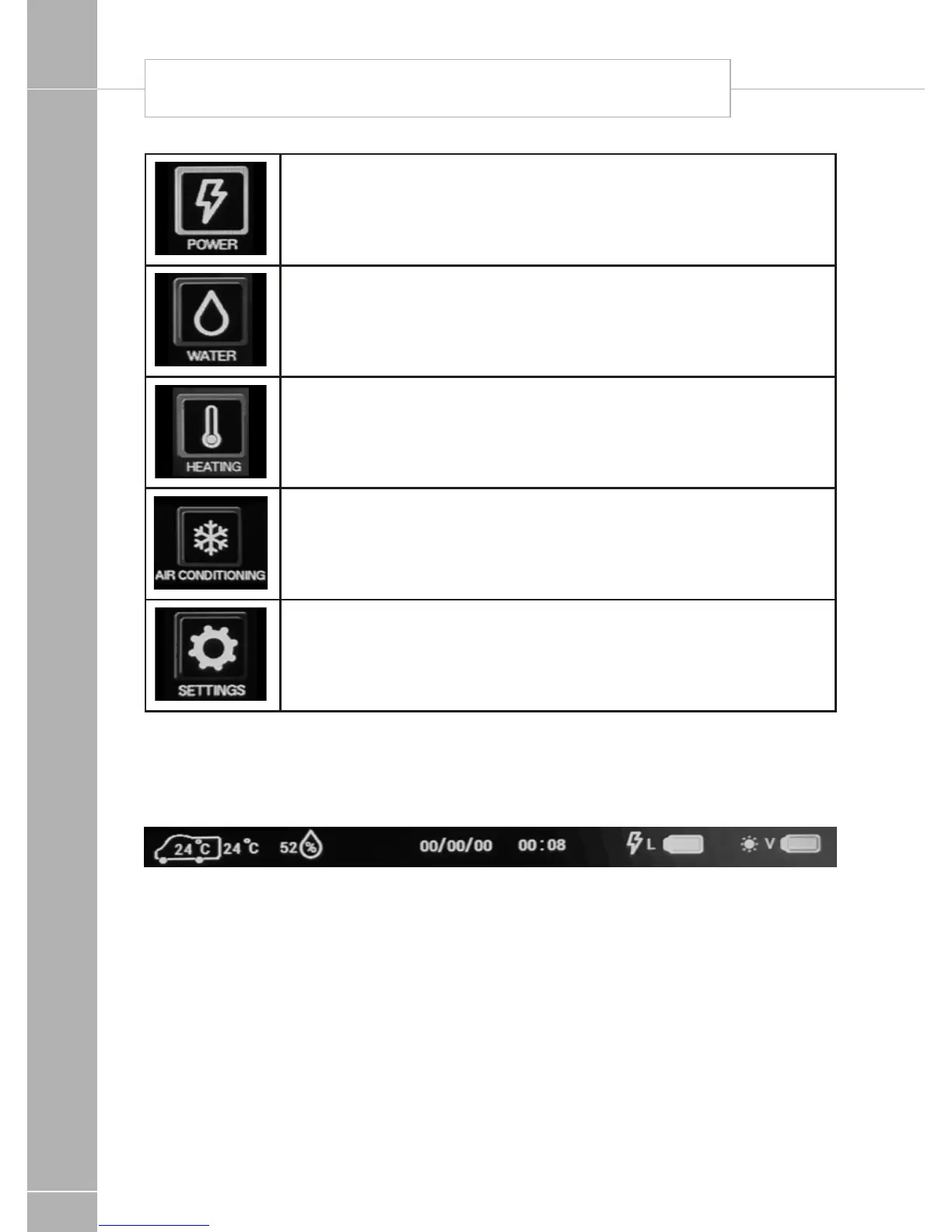
Power Button. Press the power button to show the power information and
control screen. Here you can view battery levels, view charger and solar
current and press the more button (right arrow) to view 230V current. Press
the home button to return to the main screen.
Water Button. Press the water button to show the water tank information
and control screen. Here you can view tank levels and control related
features. Press the home button to return to the main screen.
Heating Button. Press the heating button to show the heating control
screen. Here you can control the heating system, select energy and
temperature and by pressing the more button (right arrow) you can set
related timers. Press the home button to return to the main screen.
Air-Conditioning Button. Press the Aircon button to show the aircon
control screen. Here you can select the operating mode, set the target
temperature and adjust the fan speed. Press the home button to return to
the main screen. Note: this button will only be visible if a CI-Bus equipped
air conditioner is installed, connected and enabled within the system.
Settings Button. Press the settings button to show the general settings
screen. Here you can set the date & time, screen brightness and screen
on time. There are also buttons on this screen to pair a Bluetooth device,
delete Bluetooth devices, or turn the key beep on / off. Press the home
button to return to the main screen.
2.7 Control Panel ‘Header’ Information
At the top of the control panel screen there is a header or information bar which remains visible
on all screens. This is designed to provide quick reference information available at all times
Internal and
external
temperature
in degrees
Celsius
The internal
temperature is
shown inside
the vehicle
symbol.
Relative
humidity
range
1 to 100%
Current
date
Current
time
*Leisure
battery
status
Green = good,
Orange = fair,
Red = poor.
Lightning
symbol
indicates
charging from
the 230V
battery charger.
*Vehicle
battery
status
Green = good,
Orange = fair,
Red = poor.
Sun symbol
indicates
charging
from the solar
panel.
* When a battery is not being charged a % remaining figure will be displayed.
This figure is calculated from the battery voltage and therefore should be used for guidance only.






 To Next Page