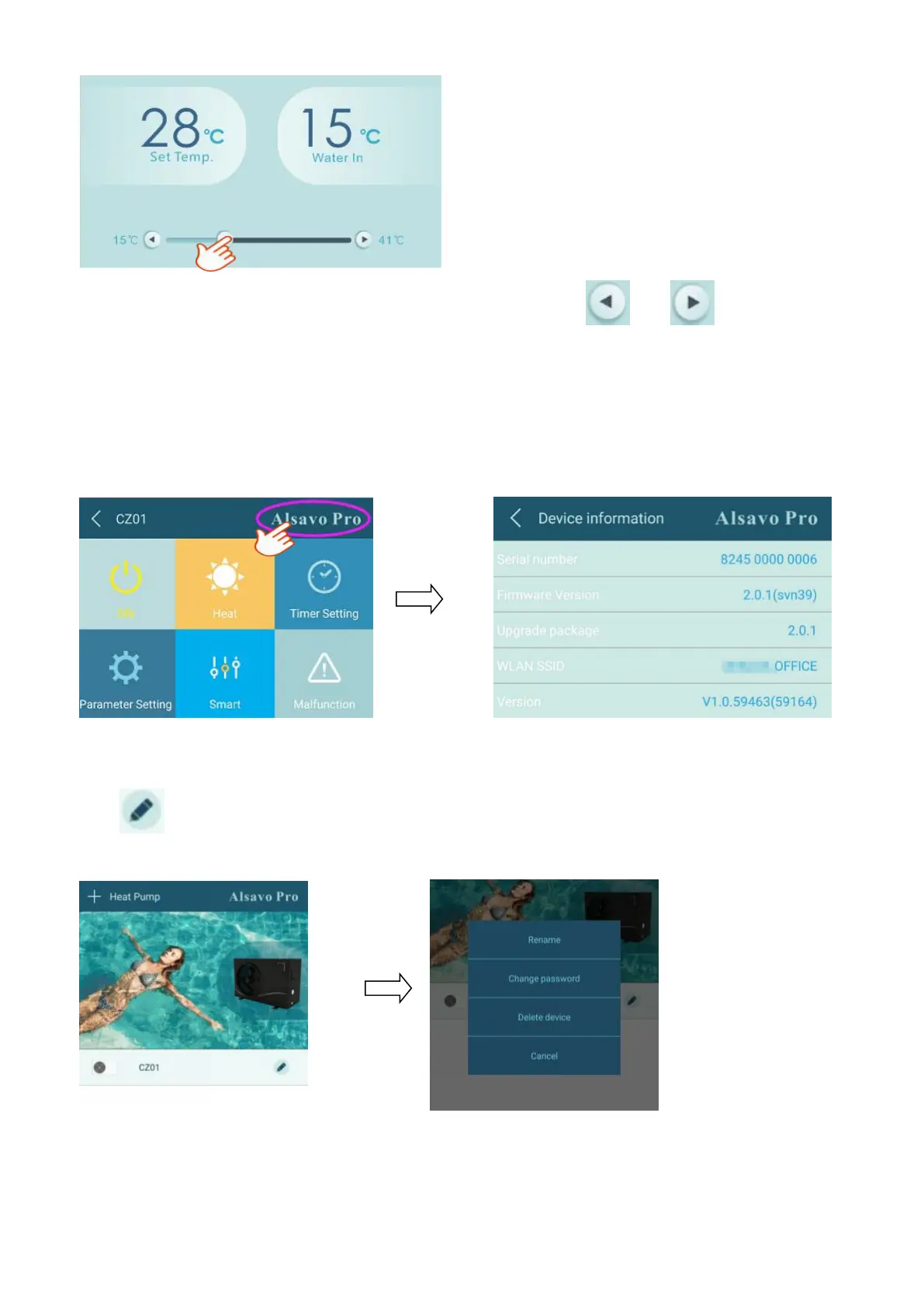
7) Temperature setting
You can set the target water temperature by adjusting the slider or press “ ” or ” ”. The setting water
temperature on the controller display correspondingly changes after letting go. When the setting water
temperature on the display changes, it will be synchronously updated to the APP.
8)Check device information
In the main interface, click the upper right “Alsavo Pro”. The Device information will show up.
9) Revise the heat pump info in the homepage
Click “ ” , you could rename, change its password and delete the device.


 To Next Page