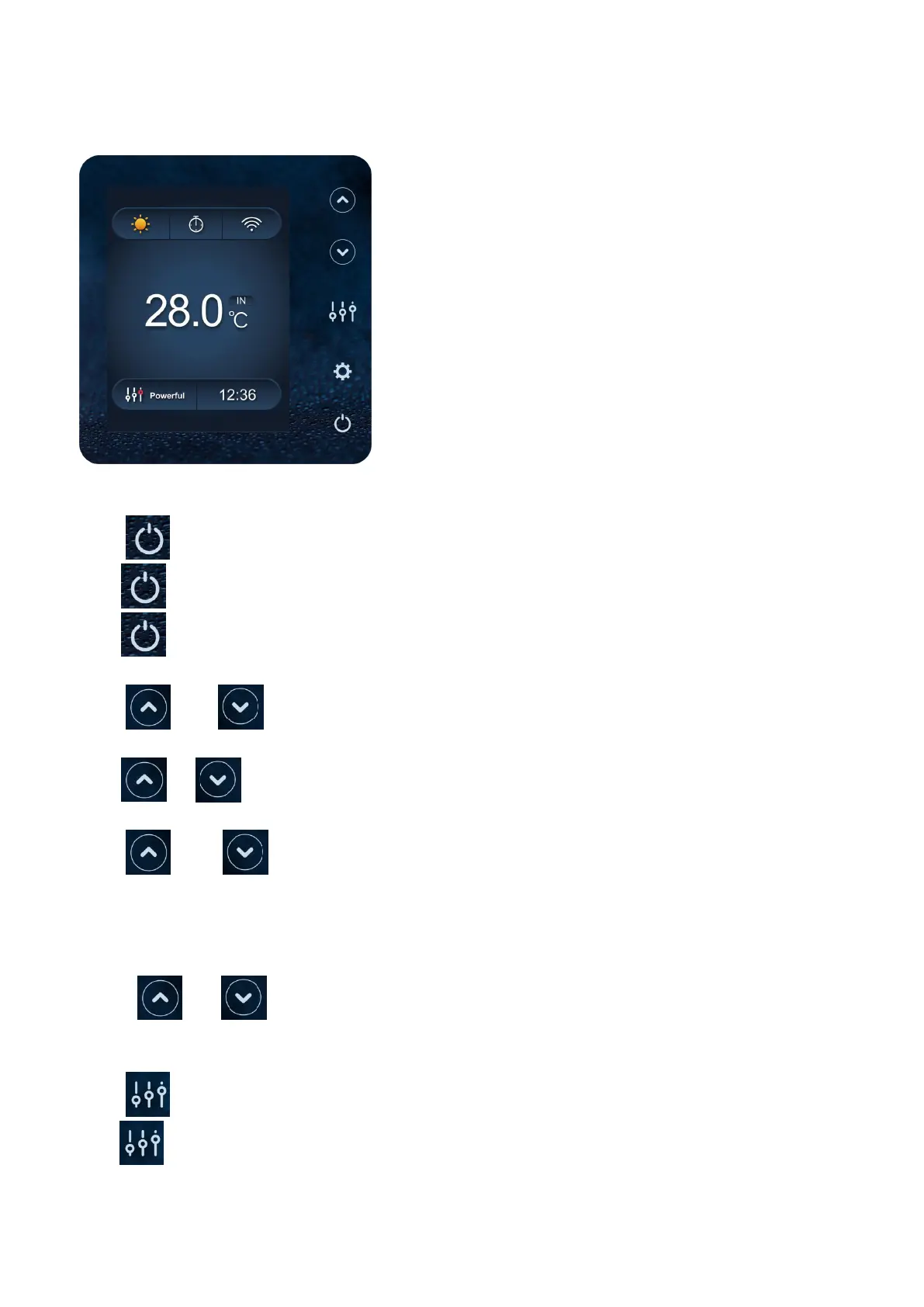
7.Display Controller Operation
7.1. Guide for operation
7.2 The keys and their operations
7.2.1 button
Press to start the heat pump unit.
Press to stop the heat pump unit.
7.2.2 and button
Water temperature setting:
Press or to set the water temperature directly.
Heating mode and Auto mode setting range:6-41℃,Cooling mode setting range: 6-35℃
Press and at the same time to check water in temperature, water out temperature and set
temperature.
Remark:
1) The buttons are locked if there is no operation on the display for 30 seconds
2) Hold and together for 5 seconds to unlock the buttons if necessary.
7.2.3 button
Press to change the working mode, Powerful, silent and smart. The default mode is smart mode.


 To Next Page