5
Operation Instructions
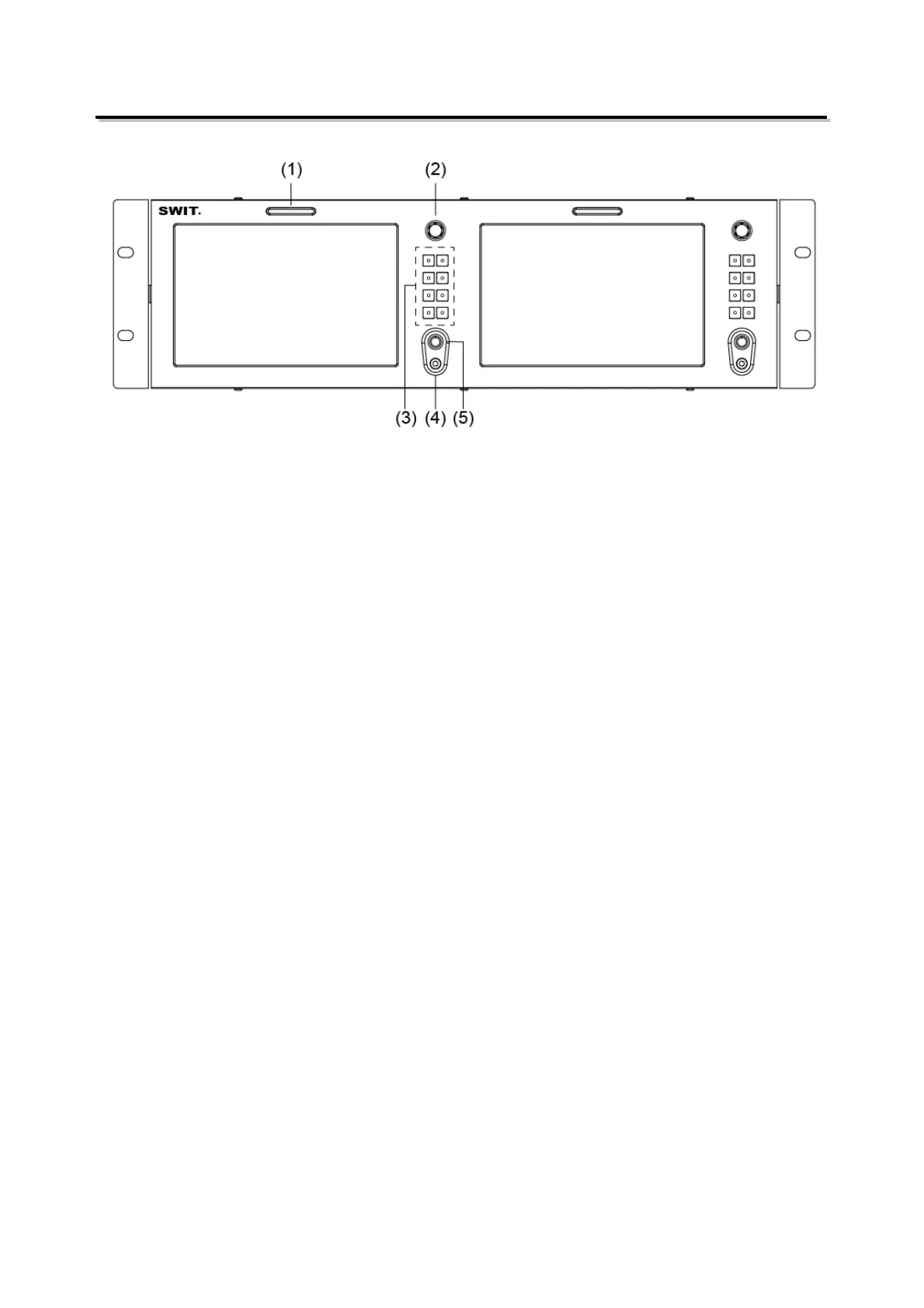
·Front Panel
⑴ TALLY Light: Red, Green and Yellow 3-color TALLY indicator
⑵ MENU/ENTER (Main menu settings)
When the menu is inactivated, presses “MENU/ENTE” to turn on the main menu on the left top of
the screen;
Rotate the knob, select corresponding submenu; the corresponding item is highlighted in yellow;
Press the knob, enter the submenu;
Rotate the knob to select items; the corresponding item is highlighted in yellow;
Press the knob, the parameter of the item is highlighted in yellow;
Rotate the knob to select the parameter and press to save the settings.
⑶ Button
Signal selection button (HDMI, SDI1, and SDI2)
User definable function keys(F1~F4)
User can set F1~F4 keys to corresponding function for quick operation according to their needs.
For example: User can set F1 to “Focus Assistant”, and press F1 to directly switch the focus
assistant parameter, the sequence is “Red→Blue→Off”.
Quick function keys support multi definition, for details please refer to “4.Function key settings” in
the “MENU” section.
INFO: Display Settings item, press "INFO" button, display or turn off related status information and
video analysis function graphics.
When the menu is opened, press “INFO” to one button exit the menu.
⑷ PHONE: 3.5mm earphone socket, for SDI/HDMI embedded audio monitoring.
⑸ POWER: Power on/off


 To Next Page
 Loading...




