13
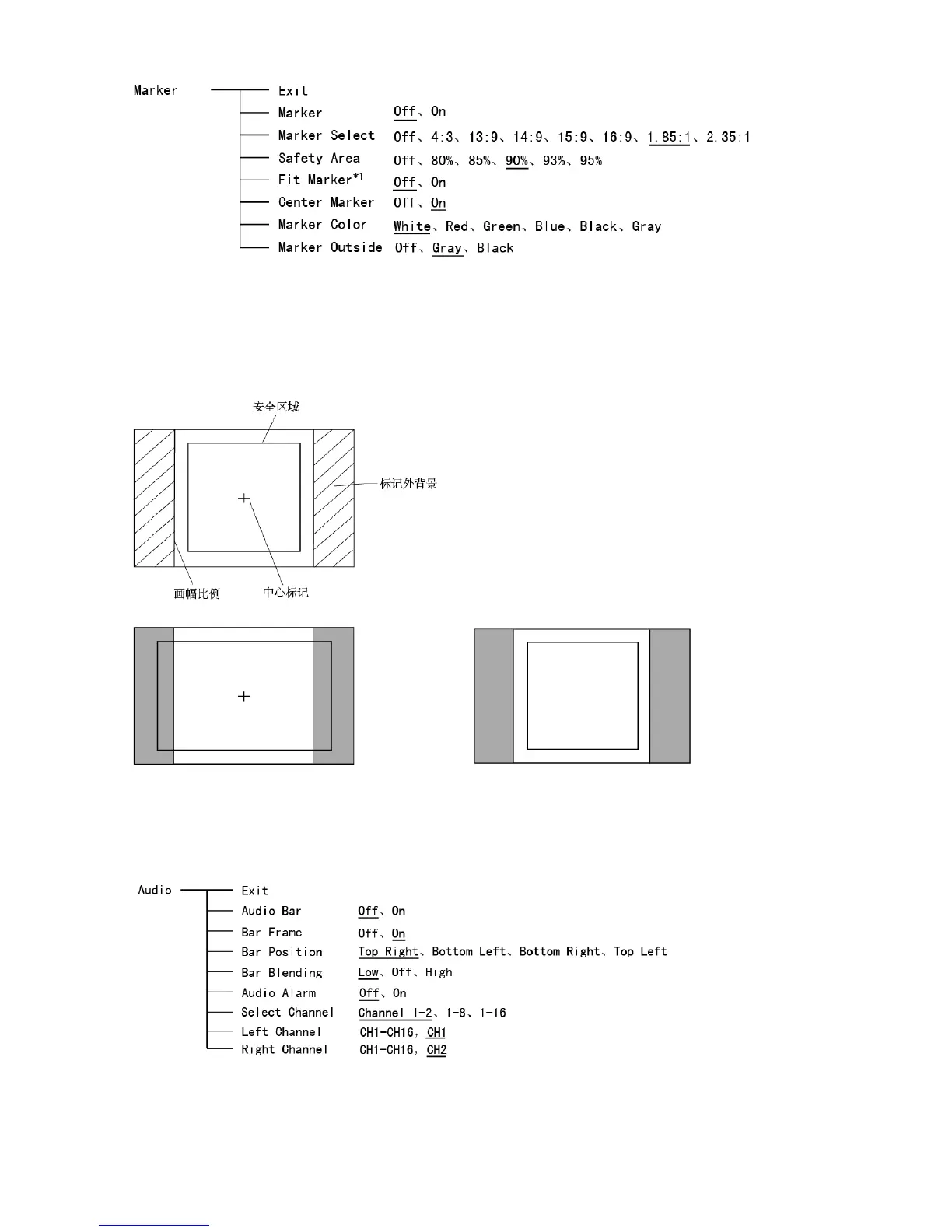
*1 When “Fit Marker” is “Off”, the size of safety area is benchmarked against the actual display screen,
accounting for 80% ~ 95% of actual display screen. When “Fit Marker” is “On”, the size of safety area
is benchmarked against the area inside the scales marker, accounting for 80% ~ 95% of the area
inside the scales marker.
Example:
Aspect ratio: 4:3 Aspect ratio: 4:3
Safety Area: 85% Safety Area: 85%
Center Marker: On Center Marker: Off
Fit Marker: Off Fit Marker: On
7. Audio
*1 When “Bar Frame” is set to “Off”, only the audio meter will be displayed.
When “Bar Frame” is set to “On”, frame and real-time audio value will be displayed.
*2 Select Channel
Under HDMI signal, channel1-2 can be selected.



 To Next Page
 Loading...



