8
⑺ POWER: Power on/off
⑻ SDI-OUT: SDI output
Under SDI, loop out SDI-IN input signal;
Under HDMI, HDMI converted to SDI output.
Remark: when the current input source is HDMI, the SDI-OUT will not support SD.
⑼ SDI-IN: 3G/HD/SD SDI signal input, standard BNC interface.
⑽ HDMI-IN: HDMI signal input, HDMI-A interface.
⑾ Battery plate mounting area
·Screen display
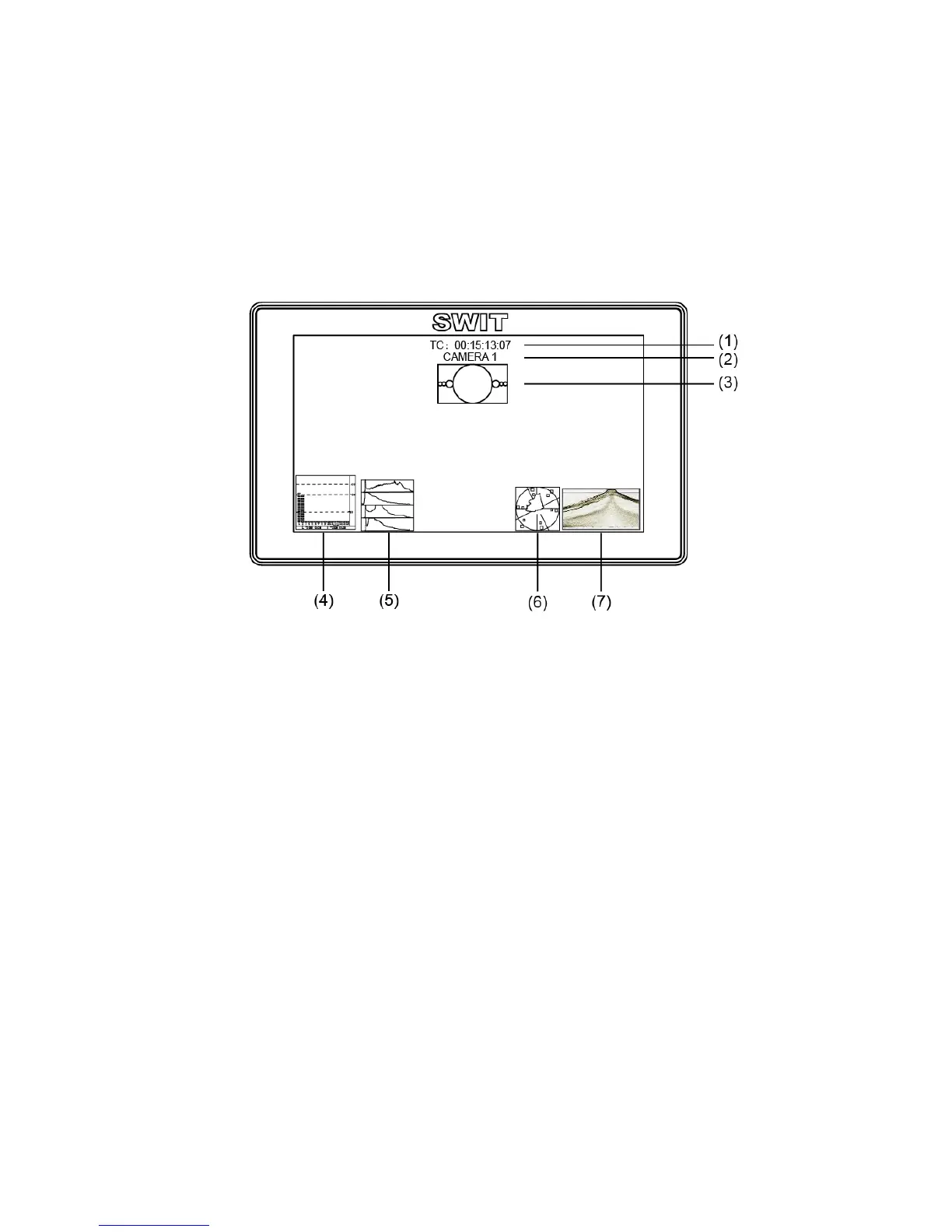
⑴. Timecode(SDI)
Under SDI input, it can display Timecode. If no Timecode information is detected, it will be
displayed as “TC: UNLOCKED”.
User can set function keys F1~F3 as “Timecode” to turn on or off this function
⑵. UMD
Display the source title. Set up the UMD under ‘UMD” submenu.
⑶. AFD(SDI)
User can set function keys F1~F3 as “AFD” to turn on or off this function. If no relevant
information is detected, it will be displayed as “AFD: UNLOCKED”.
⑷. Audio
Monitor the audio information. User can set function Keys F1~F3 as “Audio” to turn on or off this
function
The relevant parameters like position, audio channels and blending, etc can be changed under
“Audio” submenu.
⑸. Histogram
User can set function Keys F1~F3 as “Histogram” to turn on or off this function.
⑹. Vector
User can set function Keys F1~F3 or GPI pins as “Vector” to turn on or off this function.
The relevant parameters like Vector position, Vector color and Vector blending, etc. can be
changed under “Vector” submenu.
⑺. Waveform
User can set function Keys F1~F3 or GPI pins as “Waveform” to turn on or off this function.
The relevant parameters like WFM position, WFM color and WFM blending, etc can be changed
under “Waveform” submenu



 To Next Page