Rev 2.0 Jan. 2024
11
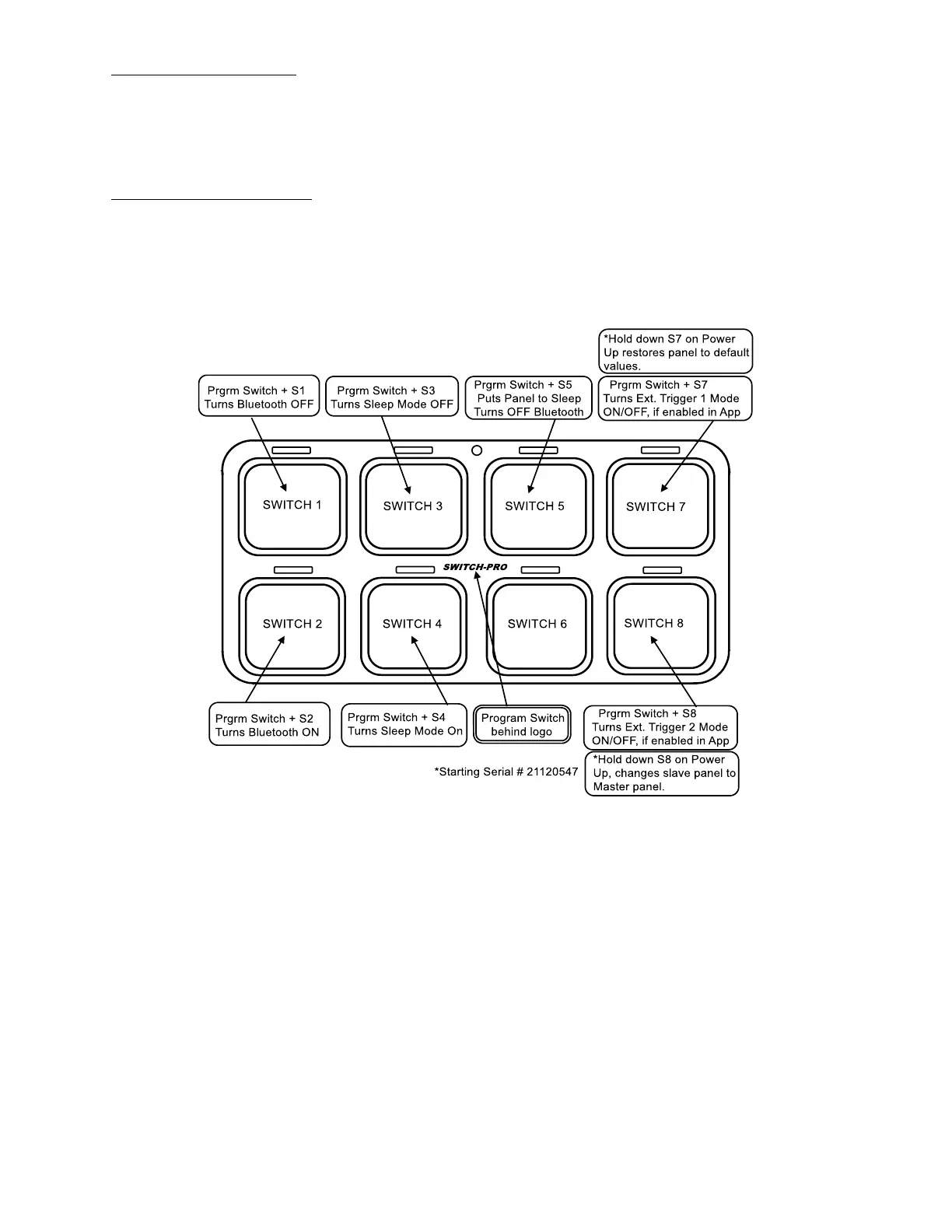
8.5 Restore to Default Values
• Disconnect the Communications Cable, either at the back of the Switch Panel or at the Power Module,
then hold down Switch 7 while plugging it back in. Continue holding Switch 7 until the Switch Panel
finishes running through the backlighting colors Red, Green, Blue and White.
o Note: This does not remove the Bluetooth password.
o Note: This function is in systems starting with SN: 21120547.
8.6 Slave Panel to Master Panel
• Disconnect the Communications Cable, either at the back of the Switch Panel or at the Power Module,
then hold down Switch 8 while plugging it back in. Continue holding Switch 8 until the Switch Panel
finishes running through the backlighting colors Red, Green, Blue and White.
o Note: This is only to be performed if a Master Switch Panel is turned into a Slave Switch Panel by
accident.
o Note: This function is in systems starting with SN: 21120547.


 To Next Page