32
Operating the Walkie−Talkies
72
VOX
1
mode (handsfree)
When this function is active, the walkie−talkie automatically starts to
transmit when the unit detects a voice or a sound.
When you start to speak, there is a slight delay before the
walkie−talkie starts to transmit.
VOX sensitivity
There are three sensitivity levels available for operation in VOX
mode and can be selected according to the ambient noise.
Level 1 Level 2 Level 3
High ambient noise Normal ambient noise Low ambient noise
Activating VOX mode
When using the handsfree function in VOX mode, the P−button
on the walkie−talkie must not be pressed to transmit.
4 x Activate the programming mode
+, P Select the VOX sensitivity and
confirm it
Deactivating VOX mode
4 x Activate the programming mode
,
OF
, P Deactivate VOX mode
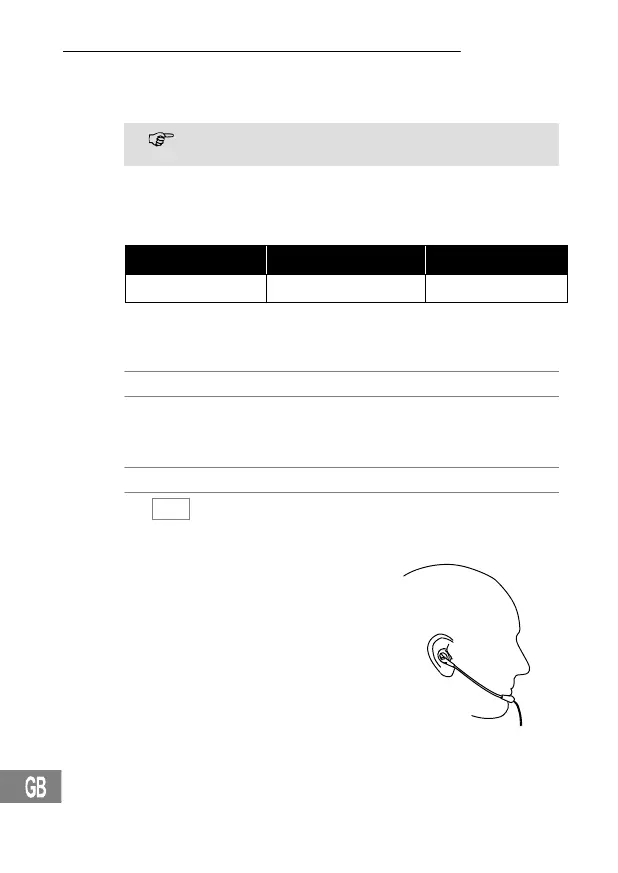
Headset
Connect the headset on the right−hand
side of the walkie−talkie. Activate VOX
mode. Clip the walkie−talkie on your belt
and fix the headset cable to a piece of
your clothing so that the microphone is
positioned near your mouth. You can now
transmit and receive without needing to
use your hands.
1
VOX: Voice Operated Transmission = Activation on detecting a
sound


 To Next Page